RSS.com Review 2026: Is the Free Plan Really Free?
This post contains affiliate links, and we may earn a commission if you sign up through them, at no cost to you. See our Affiliate Disclosure. Pricing as of September 2026.
Yes, it is really free. RSS.com’s free plan gives you unlimited episodes, no deletion clock, and a public RSS feed that is yours to take anywhere. It is the best free host for a first show. Pay for Plus at $15 a month billed annually, or $19.99 month to month, only when you want the show to earn, because the free plan runs no ads.
Key takeaways
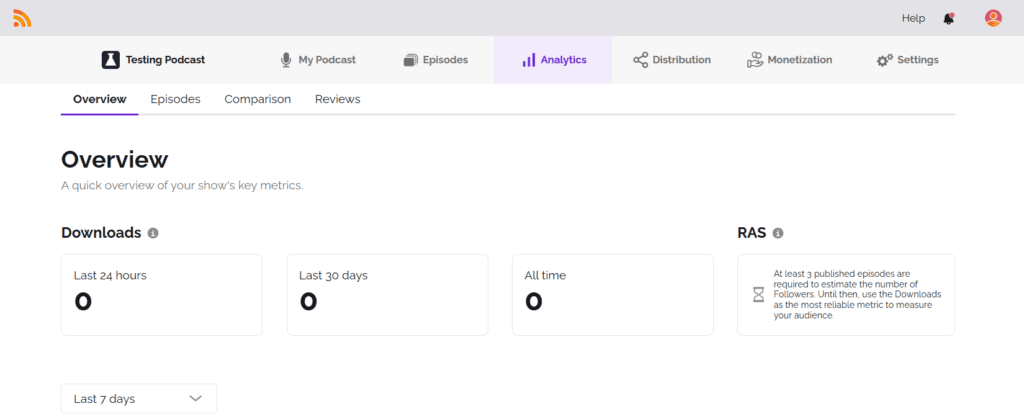
- RSS.com’s free Local & Niche plan includes unlimited episodes, unlimited audio, a podcast website, analytics, and distribution to the major directories at no cost.
- RSS.com Plus costs $15 a month billed annually or $19.99 month to month, and it is the cheapest plan that runs paid ads.
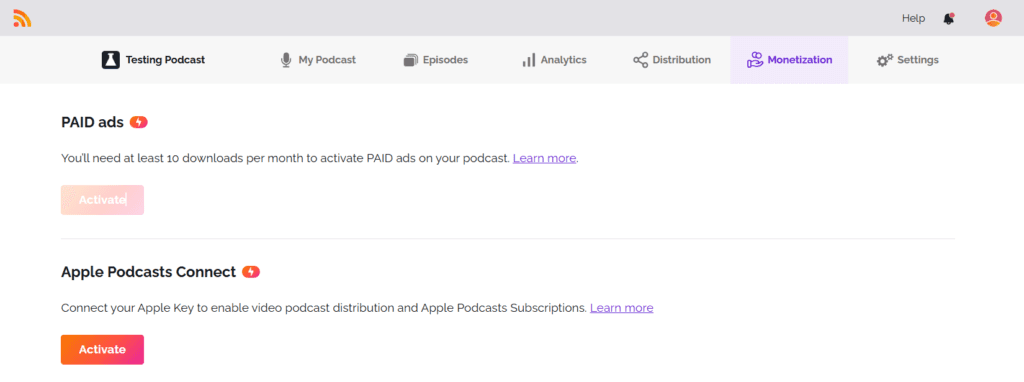
- RSS.com’s PAID ad program qualifies a show on a paid plan once it reaches 10 downloads in the last 30 days.
- RSS.com pays podcasters 70 percent of programmatic ad revenue, through PayPal at the end of each month after a 60-day validation period.
- RSS.com lists hosting for up to 10 podcasts as a Pro feature, and Pro costs $26 a month billed annually.
What does RSS.com’s free plan actually include?
More than any other free host we cover, and that is the whole reason this review exists. The free tier is called Local & Niche, it costs nothing, and it puts no ceiling on episodes or audio. Your episodes do not expire, which is the trap on Buzzsprout’s free plan, where uploads disappear after 90 days.
You get a public RSS feed, an embeddable player, a podcast website, episode scheduling, analytics, and automatic distribution to every major directory, so Apple Podcasts and Spotify pick you up without a separate submission. You can attach transcripts you already have. You can take listener donations and Value for Value payments. And you get human support, which free plans usually cut first.
What matters most is the feed. It is a standard public RSS feed, so the day you outgrow the free plan you can move, and nothing about RSS.com holds your show hostage. That is not true of every free option, which is why it is the free pick in our ranking of the cheapest podcast hosting.
How much does RSS.com cost once you pay?
Between $15 and $37 a month billed annually, or $19.99 to $49.99 month to month. Annual billing takes 25 percent off, and the prices below came off RSS.com’s own pricing page in September 2026.
| Plan | Billed annually | Month to month | What it adds |
|---|---|---|---|
| Local & Niche | Free | Free | Unlimited episodes and audio, website, analytics, distribution |
| Plus | $15 a month | $19.99 | Paid ads, Apple Podcasts Subscriptions, AI transcripts, 3 team members, unbranded player |
| Pro | $26 a month | $34.99 | Up to 10 podcasts, unlimited team seats, all-time analytics, automatic AI transcripts |
| Max | $37 a month | $49.99 | Unlimited audio and video podcasts, video ads with revenue share, automatic YouTube publishing, API |
For most shows, the only question is whether Plus is worth $15. It is if you want income, and otherwise it is not. Pro is for a network, and Max is for someone whose podcast is really a video channel.
Can you make money on RSS.com?
Yes, from a paid plan, and the bar is lower than anywhere else we cover. RSS.com’s programmatic ad program, which it calls PAID, qualifies a show once it has 10 downloads in the last 30 days, according to RSS.com’s own help center. That is ten. Most ad marketplaces want thousands before they will talk to you. Video episodes on Max carry ads from the first one you publish.
The split is 70 percent to you and 30 percent to RSS.com, with better terms under some advertiser contracts. Payment arrives by PayPal at the end of each month, after a 60-day validation period that screens out fraudulent impressions. The ads are inserted automatically at the pre-roll, mid-roll, or post-roll spots you pick, and you can block categories that clash with your show. Plus also adds Apple Podcasts Subscriptions, so listeners can pay for bonus episodes inside the Apple app.
Be realistic about the money, though. Ten downloads qualifies you, and it does not pay you much. Programmatic ads pay by the impression, so a show with a few hundred downloads a month earns coffee money. How impression pricing works is laid out in podcast CPM and ad rates explained, and the mechanism itself in what dynamic ad insertion is.
What is missing or annoying on RSS.com?
Three things, and all of them are the free plan telling you where the line is.
First, the free plan earns nothing from ads. Donations and Value for Value work, but PAID and Apple Subscriptions both start on Plus, so a free show that grows an audience is leaving money on the table until you pay. Second, the free player carries RSS.com branding, since the unbranded player is a Plus feature. That matters if you embed episodes on your own site. Third, AI transcripts start on Plus. On the free plan you can attach a transcript, but you have to make it yourself.
The pricing ladder has one awkward rung, too. RSS.com lists multi-show hosting, up to 10 podcasts, as a Pro feature, so a second show is a jump to $26 a month billed annually. A multi-show creator gets better value from Transistor, which allows unlimited shows on every plan, and we compare the options in the best podcast host for multiple shows.
Who should use RSS.com?
Anyone starting a first show who does not want to pay before they know it will stick. That is the most common situation in podcasting and RSS.com handles it better than anyone. Start on RSS.com’s free plan, publish for a few months, and see whether you keep going.
Move to Plus the week you have an audience worth monetizing, since the 10-download threshold means ads can start almost immediately. Look elsewhere if you run several shows from day one, or if your priority is a polished listener website rather than a free place to publish. For first-timers weighing all the options, the best podcast host for beginners puts RSS.com next to the paid alternatives.
Frequently asked questions
Is RSS.com really free forever?
The Local & Niche plan costs nothing and puts no cap on episodes or audio, and nothing on RSS.com’s pricing page suggests a trial period or expiry. That separates it from Buzzsprout’s free plan, which deletes episodes after 90 days, and from free tiers that cap your episode count. What free does not include is income from ads, an unbranded player, AI transcripts, or team members. Those are the reasons people upgrade, and none of them stop you publishing a show indefinitely at no cost.
Can I move my podcast off RSS.com later?
Yes. RSS.com gives you a standard public RSS feed, so you leave the way you leave any host: import that feed at the new host so your back catalog copies over, then point the old feed at the new one with a redirect so subscribers follow automatically. RSS.com’s free-plan help page says it supports standard 301 redirects, so you can move whenever you want. The setting is Redirect My Podcast, in the Settings tab.
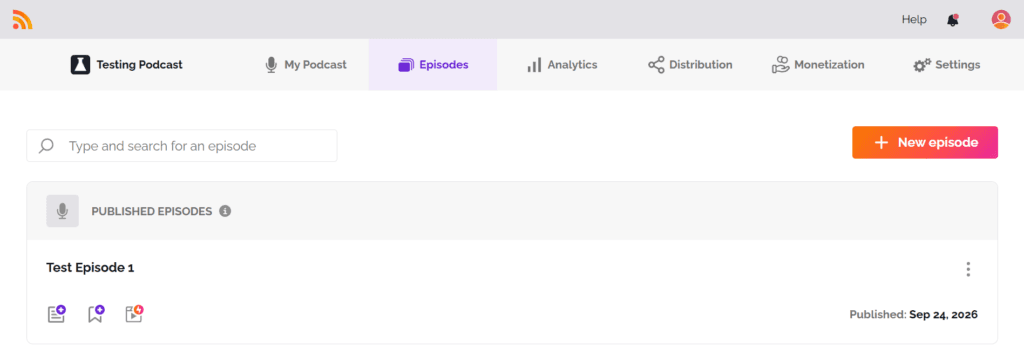
One caution. On our brand-new free test account that button was greyed out, and another RSS.com help article says redirects are not available on free trial accounts or after you cancel. If yours is greyed out when you are ready to leave, ask RSS.com support before you pay for anything, and keep the account open while the redirect runs, since RSS.com suggests 45 to 90 days. The full process, including what can go wrong, is in how to switch podcast hosts without losing subscribers.
Does RSS.com put my podcast on Spotify and Apple Podcasts?
Yes, on every plan including free. RSS.com lists automatic distribution to every major directory as a free feature, so you do not submit your feed to each app by hand. Check each listing after your first episode goes out, because a directory can take a few days to show a new show. If one never appears, the usual causes and fixes are in why a podcast is not showing in Apple Podcasts or Spotify.