
Where to Find Your Podcast RSS Feed URL
Last updated: September 2026
This post contains affiliate links, and we may earn a commission if you sign up through them, at no cost to you. See our Affiliate Disclosure. Details as of July 2026.
Your RSS feed URL lives inside your podcast host, on a settings or distribution screen, and every host does you a favor and puts a copy button next to it. It is never on Apple Podcasts or Spotify. Those apps only read the feed your host publishes.
That trips people up constantly. You go looking for your feed in the app where you listen to your show, and it is not there, because that app was never the source. Your host is. If the whole idea is new, what a podcast RSS feed is and how it works covers the mechanics first.
Key takeaways
- Your podcast RSS feed URL is inside your podcast host, on a settings, directories, or distribution screen, usually next to a copy button.
- Apple Podcasts and Spotify never show your RSS feed URL, because they only read the feed your host publishes.
- On Buzzsprout, the RSS feed URL is under the Directories tab, then the RSS Feed sub-tab, next to a Copy Link button.
- On Captivate, clicking the RSS Feed link in the show header copies the feed URL straight to your clipboard instead of displaying it.
- Whoever owns the hosting account controls the podcast RSS feed, so open the account in your own name.
- To change hosts without losing subscribers, import your episodes to the new host first, then redirect the old feed to the new one.
Where is my RSS feed on each host?
The wording differs. The location barely does. Look for a Directories, Distribution, or Settings screen.
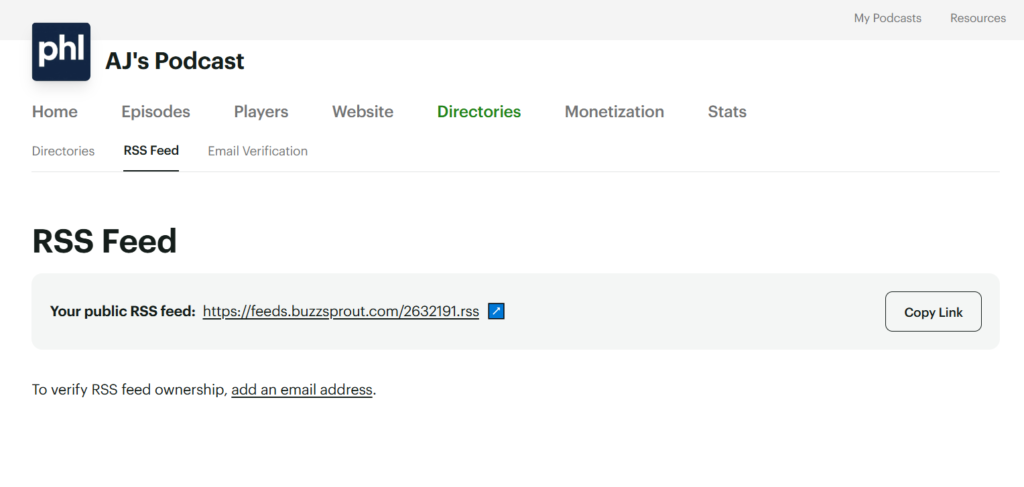
- Buzzsprout: open the Directories tab, then the RSS Feed sub-tab. The address sits under “Your public RSS feed” with a Copy Link button beside it. Buzzsprout feeds look like
feeds.buzzsprout.com/1234567.rss. - Transistor: go to the show’s distribution screen. There is a “Your RSS Feed” card holding the URL, a copy icon, and a link through to the feed settings. Transistor feeds look like
feeds.transistor.fm/your-show-name. - Captivate: the show header carries a Podcast Settings link and an RSS Feed link side by side. Clicking RSS Feed does not display the address, it copies it straight to your clipboard and confirms with a small toast. Worth knowing before you go hunting for a field that never appears.
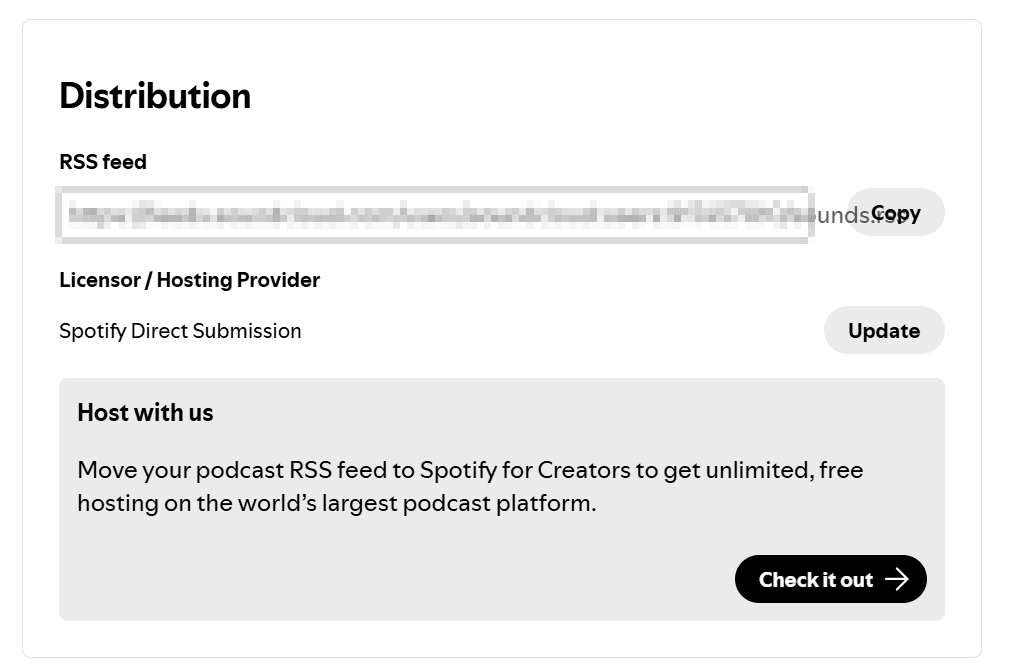
- Spotify for Creators: open the Distribution screen. The address sits in an RSS feed field with a Copy button beside it. Your feed is available there because Spotify for Creators hosts the audio for shows that started on it.

If your host is not on this list, the pattern still holds. Open the screen where you submit to directories, and the feed URL is on it.
What do you actually do with the feed URL?
Three things, and you will do the first one exactly once.
You submit it to the directories at launch. Apple Podcasts Connect and Spotify for Creators both ask for the feed address, validate it, and add your show to their catalog. From then on they poll the feed on their own schedule and pick up new episodes without you logging back in. The step-by-step is in how to submit your podcast to Apple, Spotify, and YouTube.
You hand it to anything that wants to read your show. A podcast website builder, a newsletter embed, an analytics tool, a transcription service. They all take the same address.
Paste that address into a browser and you get a wall of XML instead of a web page. That is what is supposed to happen, and it is worth looking at once. What each tag in there actually does is in what a podcast RSS feed is and how it works.
And you use it when you move hosts. Your new host imports your back catalog from the old feed, then you set a redirect on the old one so the apps follow you across without your subscribers noticing.
Can you change your podcast RSS feed URL?
Yes, and this is the part worth being careful about. The URL is portable, which is the whole reason you are never trapped with one host, but the handoff has to be done in the right order.
You import your episodes to the new host first. Then you point a redirect from the old feed at the new one and leave it in place. Apps that poll the old address follow the redirect, update their records, and carry your subscribers over. Break that redirect too early, or skip it entirely, and every app keeps checking a feed that no longer updates. Your subscriber count resets and your download history goes with it.
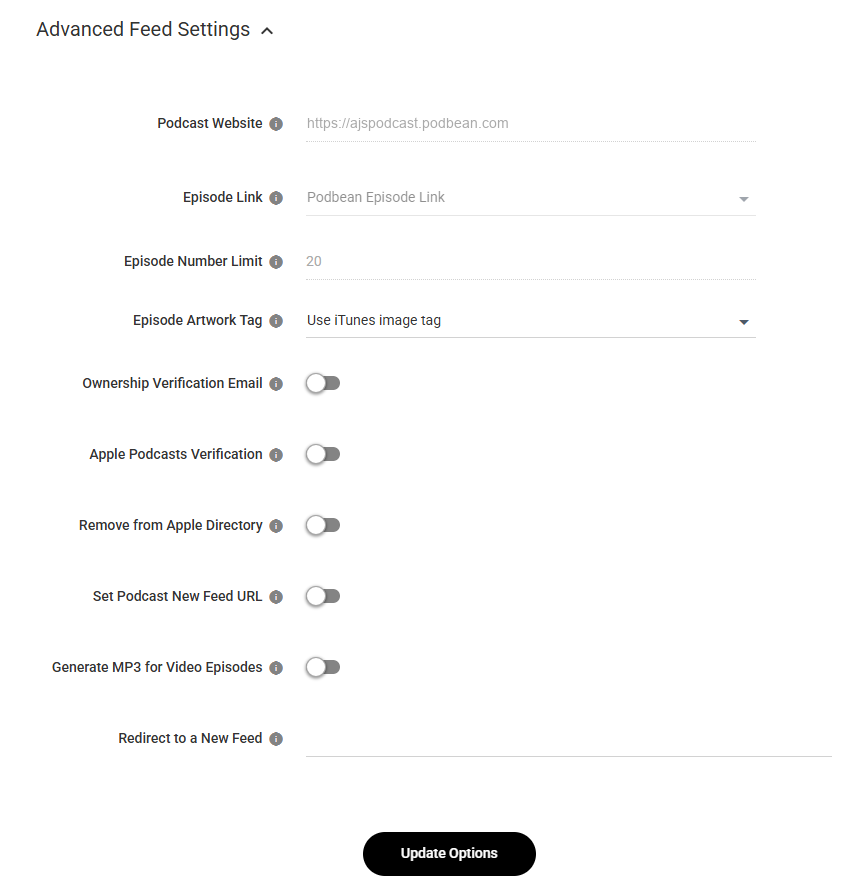
The full walkthrough for one common case is in How to Move Off Podbean Without Losing Subscribers, and the same order applies whatever host you are leaving.
Who controls your feed?
Whoever owns the hosting account. Not whoever records the show, not whoever edits it.
This matters more than it sounds. If a producer, an agency, or a co-host set up the hosting account under their own name and email, the feed is legally and practically theirs. Ending that relationship can mean walking away from your own back catalog and your subscriber base. Open the host account in your own name on day one, add collaborators as team members, and you never have that conversation.
FAQ
Where is my podcast RSS feed on Apple Podcasts? It is not. Apple reads the feed your host publishes and stores a copy of the details, but the feed itself lives on your host. Get the address from your host’s directories or settings screen.
Why can’t I find my RSS feed in Spotify? If your show is hosted elsewhere, Spotify never had your feed to give you. It is only in your host. If your show started on Spotify for Creators, that platform is your host, so the feed is in its dashboard. Whether to stay there is weighed in Spotify for Creators vs Buzzsprout.
Is my podcast RSS feed public? Yes, unless you are running a private podcast. A public feed has to be readable by every app that lists your show. It is not a secret, and sharing it is harmless.
Do I need to create my own RSS feed? No. Your host writes and updates it every time you publish. You copy the finished address and submit it once.
Can two hosts publish the same feed? No, and you should not try. Two live feeds for one show means duplicate listings, split download numbers, and confused apps. Migrate with a redirect instead.






