Riverside Pricing 2026: Plans, Fees, and Is It Worth It?
Last updated: September 2026
This post contains affiliate links, and we may earn a commission if you sign up through them, at no cost to you. See our Affiliate Disclosure. Pricing as of September 2026.
Riverside is free to start and $24 a month once you pay, billed annually. It is worth it if you record remote video interviews and want each guest captured locally in up to 4K, so a dropped connection does not wreck your audio. If you record solo in one room, or you only need audio, you are paying for a lot you will not use. And one thing up front: Riverside records and edits, it is not your podcast host, so you still need somewhere to publish.
What does Riverside cost? Every plan explained
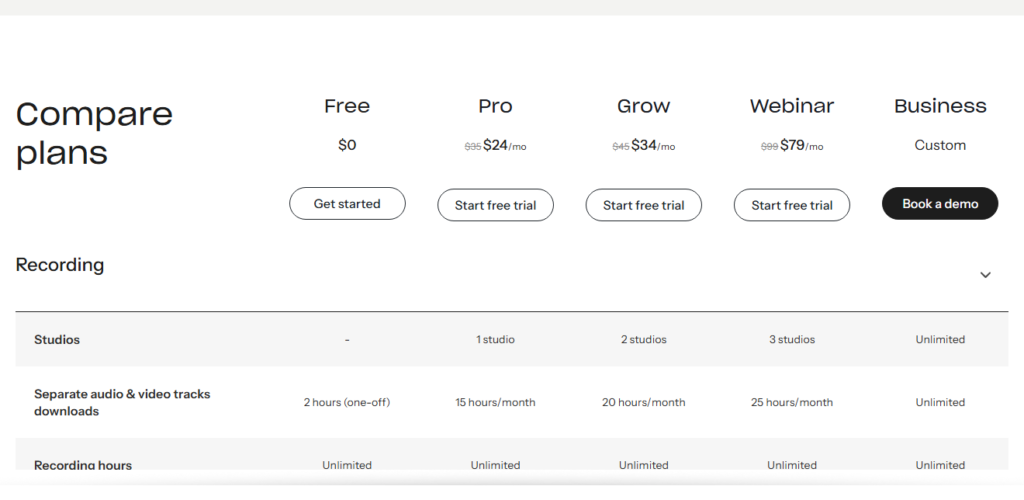
| Plan | Price/mo (billed yearly) | Price/mo (monthly) | Recording quality | Track downloads |
|---|---|---|---|---|
| Free | $0 | $0 | 720p video, 44.1kHz audio, watermark | 2 hrs multitrack, one-off |
| Pro | $24 | $29 | Up to 4K, 48kHz, no watermark | 15 hrs/mo |
| Grow | $34 | $39 | Up to 4K, 48kHz, plus 1080p streaming | 20 hrs/mo |
| Webinar | $79 | $99 | Up to 4K, webinar hosting | 25 hrs/mo |
| Business | Custom | Custom | Everything, unlimited | Unlimited |
Note the old Starter tier is gone. Riverside restructured, and Pro is now the real entry point for anyone doing this seriously. The gap between the free plan and Pro is wide on purpose: the free tier caps you at two hours of multitrack recording, slaps a watermark on exports, and holds video at 720p. Fine for a test. Not fine for anything you publish.
What you get on each plan
The Free plan lets you kick the tires. You get two hours of multitrack recording, Magic Clips, unlimited video calls, and unlimited single-track recording. But 720p, 44.1kHz audio, and that watermark mean it is a trial, not a home.
Pro at $24 a month is where Riverside becomes itself. Up to 4K video, 48kHz audio, no watermark, one studio, 15 hours of separate track downloads a month, unlimited transcription, plus Magic Clips and AI show notes. This is the plan most solo podcasters and small interview shows should look at first.
Grow at $34 adds a second studio, 20 hours of downloads, 1080p live streaming with multistreaming, plus a creator website, newsletter tools, and social scheduling. Webinar at $79 is a different animal, built for lead capture, Q and A, polls, and audiences up to 100 registrants. Business is custom-quoted and aimed at teams that need SSO, API access, custom branding, and SOC2.
Is Riverside a podcast host?
Not really, and this trips people up. Riverside records and edits. Its paid tiers do include a publishing feature that can push an episode out to the major directories, but that is a light convenience bolted onto a recording tool, not a full host. You do not get the download analytics, the dynamic ad insertion, the monetization tools, or the deep distribution control that a dedicated host gives you.
So the honest setup for most people is two tools. Record and edit in Riverside, then publish through a real host like Buzzsprout or Captivate, which owns your RSS feed and gets you listed on Apple Podcasts. Riverside handles the capture. The host handles everything after. If you are still choosing that host, start with our guide to choosing a podcast host.
The fees and catches to know
The headline prices are annual billing. Pay month to month and Pro jumps from $24 to $29, Grow from $34 to $39, and Webinar from $79 to $99. Same as most tools, but budget for it.
The real catch is the separate track download cap. Pro gives you 15 hours a month of downloading each guest as an isolated track, which is the whole point of Riverside for serious editing. Record a lot of long interviews and you can bump the ceiling and need Grow or higher, even if nothing else about your show has changed.
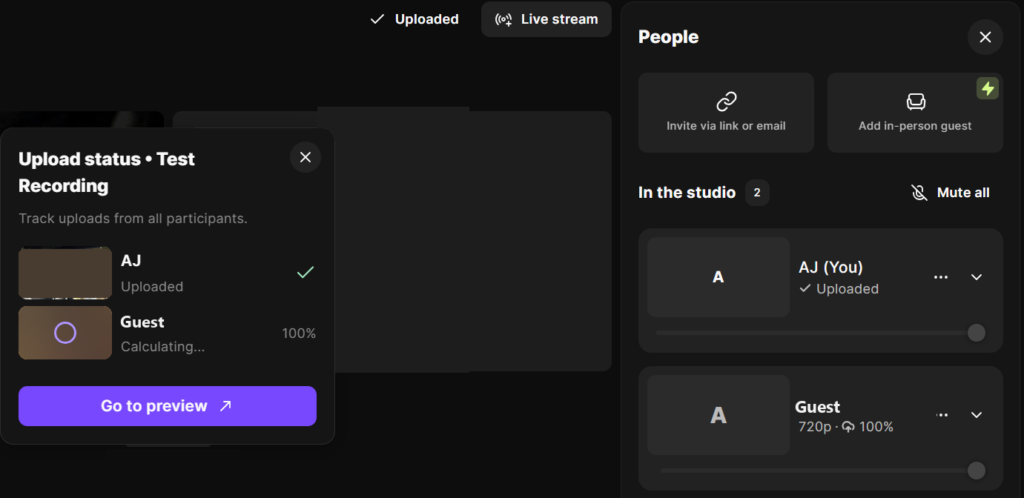
And 4K sounds great until you check your upload. Local 4K recording eats storage and bandwidth on the guest’s side, so a shaky connection can still slow the upload of those local files after you stop recording. Not a dealbreaker, just not magic.
How do you cancel Riverside, and can you get a refund?
Cancel from Settings, then Plan & Billing, then Cancel plan, and keep answering the questions until Riverside shows a message that your account is canceled. Stop partway and the plan can keep running. Several recent App Store reviews describe exactly that: a cancellation that did not stick and another charge the next month. Screenshot the confirmation.
The refund windows are short. A monthly Pro or Grow plan is refunded in full only if you cancel within 24 hours of buying it and ask support. A yearly plan gets 14 days. AI credits are never refunded.
The mobile app bills separately. Mobile Plus, bought inside the iPhone or Android app, only unlocks features in the app, and the Pro, Grow, and Webinar plans are bought on the web. Riverside cannot cancel Mobile Plus for you: turn off renewal in the App Store or Google Play, because deleting the app does not cancel it. Its 3-day trial has to be canceled at least 24 hours before it ends.
Checked against Riverside’s help center, September 2026.
Is Riverside worth it?
If you record remote video interviews, yes, Pro at $24 a month is worth it and probably the cleanest way to get broadcast-quality guest audio and video without asking every guest to run their own gear. The local recording is the feature you are actually paying for, and it genuinely solves the problem that ruins remote shows, which is one guest’s bad internet tanking the whole recording.
If you record audio only, or you and your co-host sit in the same room, it is a harder sell. You are paying video-tool prices for something a cheaper audio recorder or your host’s built-in tools might cover. The AI show notes and clips are good, but plenty of standalone tools do those too.
For a video-first show that wants clips for social and clean multitrack files, Riverside earns the money. For a two-people-one-mic audio podcast, it is overkill.
Riverside vs cheaper alternatives
Descript overlaps hard on editing and AI, and some people run it instead of or alongside Riverside, a choice our Riverside vs Descript comparison walks through. Zencastr is the closest direct competitor on remote recording, and it now has a free plan with unlimited separate tracks, which our guide to recording a podcast remotely weighs against Riverside.
The short version: Riverside wins on raw remote-recording quality, the others compete on price and editing depth. Pick by whether local high-res capture is the thing you need.
Try Riverside free
The free plan is enough to record a real two-hour session and see whether the local-recording quality is worth it for your show before you pay anything. Start with Riverside free, then move up to Pro when the watermark and the 720p cap start to bug you. The honest downsides: the friendly $24 assumes annual billing, and it is a recording tool, not a host, so it is one line item in your stack, not the whole thing.
FAQ
Does Riverside have a free plan? Yes. The free plan gives you two hours of multitrack recording, Magic Clips, and unlimited single-track recording, but it caps video at 720p and adds a watermark. The cheapest paid plan is Pro at $24 a month billed annually.
Is Riverside a podcast host? No, not in the full sense. It records and edits, and paid tiers can publish to the directories, but it does not replace a dedicated host with real analytics, ad insertion, and RSS control. You still want a proper host.
What do you get for going from Pro to Grow? A second studio, 20 hours of track downloads instead of 15, 1080p multistream live streaming, and extras like a creator website, newsletter, and social scheduling. Most solo podcasters do not need it.
Is Riverside worth it for an audio-only podcast? Usually not. Its whole edge is high-quality local video and multitrack capture of remote guests. If you never record remote video, a cheaper audio setup will likely do the job.