Riverside vs Descript: Best Way to Record and Edit Your Podcast
Last updated: September 2026
This post contains affiliate links, and we may earn a commission if you sign up through them, at no cost to you. See our Affiliate Disclosure. Pricing as of September 2026.
Use Riverside to record and Descript to edit. Riverside captures remote interviews in studio quality, recording each guest locally at up to 4K so a dropped connection never wrecks your audio. Descript is where you cut, clean up, and repurpose that footage by editing a transcript like a doc. Neither one hosts your show, so you still need a host underneath both.
Riverside vs Descript at a glance
Quick version before the detail. These tools solve different halves of the same job, and plenty of podcasters pay for both.
| Riverside | Descript | |
|---|---|---|
| Main job | Remote recording | Editing and repurposing |
| Records each guest locally | Yes, up to 4K video | Limited, screen and mic recording |
| Edit by editing text | Basic | Yes, its whole point |
| Filler-word and “um” removal | Some | Yes, one click |
| AI voice / overdub | No | Yes, Overdub |
| Transcription | Yes | Yes, core feature |
| Free plan | Yes, 2 hours multitrack, watermarked | Yes, 1 hour/mo, watermarked |
| Paid entry | $24/mo annual (Pro) | $16/mo annual (Hobbyist) |
| Best for | Capturing the interview | Cutting and clipping it |
What is Riverside best for?
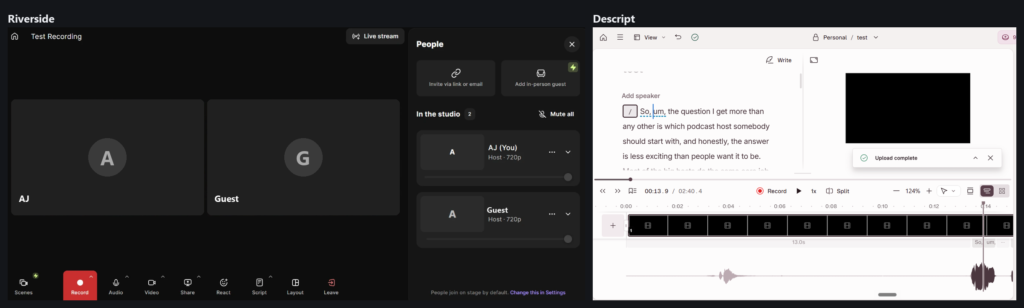
Riverside is built for one thing above all: getting a clean, high-quality recording out of a remote guest who is sitting somewhere else on a shaky connection. Instead of capturing the compressed Zoom-style stream, it records each person locally, right on their own device, then uploads those tracks separately. If you are new to that setup, start with how to record a podcast remotely. So even if the call stutters, the file you get back is full quality, up to 4K video and 48 kHz audio on the paid tiers, where the free plan caps you at 720p and 44.1 kHz.
You get separate audio tracks per participant, which makes editing far easier later. It also does live transcription, AI show notes, and short vertical clips for social. If your show is interview-driven and remote, this is the capture tool to beat. What each plan costs is in our Riverside pricing breakdown.
What is Descript best for?
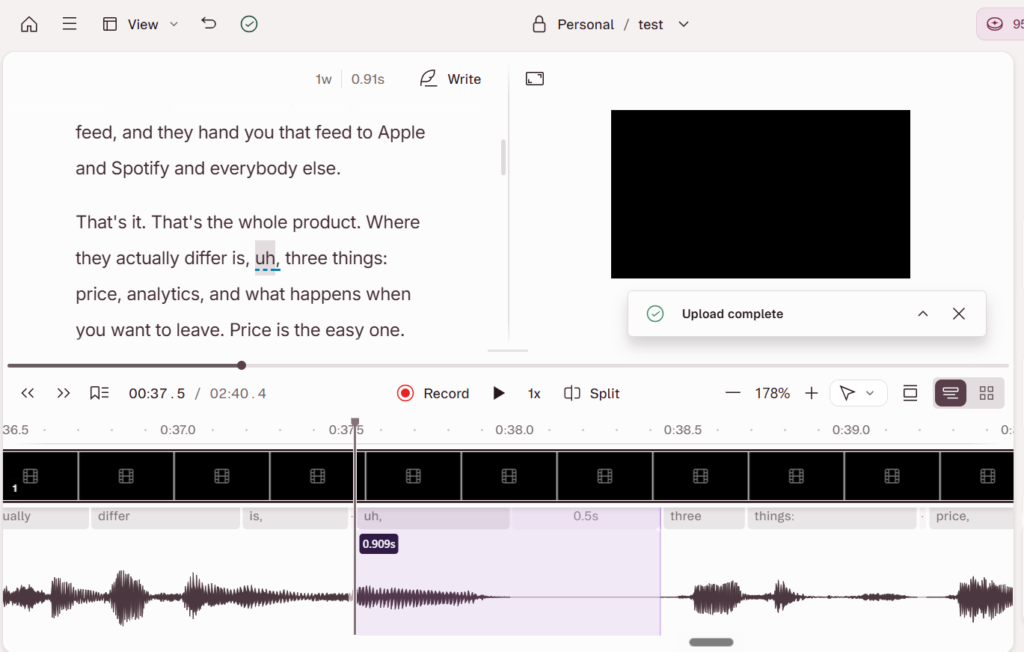
Descript flips editing on its head. It transcribes your recording, then lets you edit the audio and video by editing the text. Delete a sentence in the transcript and the matching audio disappears with it. That alone turns a slow, waveform-dragging edit into something closer to fixing a document. On top of that you get one-click filler-word removal for every “um” and “uh,” Studio Sound to clean up rough audio, AI voices to patch a flubbed line with a synthetic version of your voice, screen recording, and fast clip creation for shorts. If the synthetic voice is the part you care about, our best AI voice generator for podcasters guide compares Descript with Murf and ElevenLabs.
One catch worth knowing before you pick a plan: the $16 Hobbyist tier exports watermark-free, but it meters you at 10 media hours a month and 400 AI credits, and it gives you only partial access to Underlord, the AI editor most of those tools hang off. The $24 Creator plan triples the hours to 30, doubles the credits to 800, opens Underlord fully, and exports 4K. That is where most serious podcasters land.
For turning one long episode into clips, show notes, and a blog post, it is the fastest tool going. The catch: it is an editor, not really a capture tool, so remote-guest recording quality is not its strength.
Riverside vs Descript on price
Both run a free plan with a watermark and tight limits. Riverside’s paid plans start at $24 a month on annual billing for Pro, then step up through Grow at $34 and Webinar at $79 before a custom Business tier, and any paid tier drops the watermark. Descript is a little different: its $16 Hobbyist plan is watermark-free but meters you at 10 media hours a month, so the entry point most people actually want is the $24 Creator plan and its 30 hours, with Business at $50 above it.
Line the two up and the honest like-for-like starting point is about $24 on each. Because they do different jobs, most serious podcasters end up paying for both, so budget for two subscriptions, not one. Annual billing knocks a chunk off each, so pay yearly once you know you will keep them.
Which should you choose?
Pick by the problem you have.
If your headache is capturing remote interviews that sound and look professional, get Riverside. Local recording per guest is the feature that saves your audio when the call drops, and nothing else does it as cleanly. Start with Riverside. The downside to plan around: it is a recorder first, so its editing tools are lighter than a dedicated editor, and heavy 4K recording eats storage and upload time.
If your headache is editing, cleaning, and repurposing episodes fast, get Descript. Editing by transcript plus one-click filler removal is a genuine time saver, and the clip and Overdub tools are unmatched for turning one episode into a week of content. Start with Descript. The downside: it leans on AI credits and its higher tiers, and it is not the tool for capturing a pristine remote recording in the first place.
Running an interview show remotely and repurposing it hard? Use both. Riverside to capture, Descript to cut. Whichever you pick, remember both sit on top of a real podcast host, which is the piece that puts your show on Apple and Spotify. If you have not sorted that yet, start with how to choose a podcast host.
What if you mainly want AI short-form clips?
Then honestly, neither of these is your best buy. Both Riverside and Descript can cut clips, but a dedicated tool like Opus Clip out-clips them for pure vertical repurposing. It ranks each clip by predicted engagement, a virality score, so you know which cuts to post first, per Opus Clip’s own description of the feature. It also pulls straight from a pasted YouTube or Drive link, so a back catalog that never touched either of these still feeds it.
Use Riverside to capture and Descript to edit, sure. But if turning one episode into ten shorts is the real goal, run the clips through a purpose-built clipper and let these two do what each is actually best at.
FAQ
Is Riverside or Descript better for recording a podcast? Riverside, clearly. It records each remote guest locally at up to 4K, so a bad connection does not ruin the file. Descript can record, but capture is not its strength.
Can Descript record remote interviews like Riverside? It can record remote calls, but the local, per-guest, high-quality capture that makes Riverside worth it is not Descript’s focus. Most people record in Riverside and edit in Descript.
Do I need both Riverside and Descript? Not required, but common. They handle different halves of the job, capture versus edit and repurpose, so interview-driven shows often pay for both.
Do Riverside or Descript host my podcast? No. Both are recording and editing tools. You still need a podcast host to publish your RSS feed to Apple Podcasts and Spotify.