
How to Choose a Podcast Host (2026 Guide)
Last updated: September 2026
This post contains affiliate links, and we may earn a commission if you sign up through them, at no cost to you. See our Affiliate Disclosure. Pricing as of August 2026.
Pick your host by what you are trying to do, not by a “best of” list. Running more than one show or a private feed, go with Transistor. Growing or monetizing, Captivate. Brand-new and want the gentlest start, Buzzsprout. The rest of this guide is how to make that call yourself.
What does a podcast host do?
A podcast host is where your audio files live and where your podcast RSS feed is built. That feed is the plumbing of the whole thing. When you upload an episode, the host stores the MP3, adds it to your feed, and every app that carries your show- Apple Podcasts, Spotify, Overcast- reads that one feed and pulls the new episode automatically. You submit your feed to each app once, at the start, and never again.
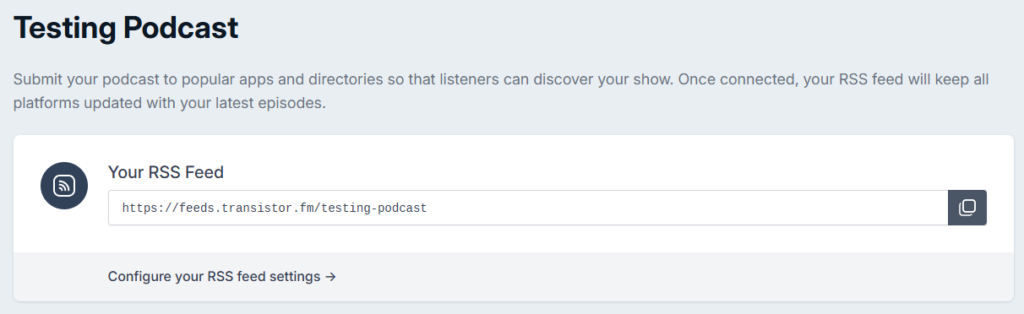
So a host is not the same as YouTube or a website. It is the source of truth the listening apps point at, and there is a fuller plain-English version of this in what a podcast host actually is. It also counts your downloads with something close to the IAB Tech Lab measurement standard, which is the number sponsors trust, and most hosts hand you analytics, a basic website, and ad tools on top. You could technically self-host a feed. Almost nobody should, because a real host handles the bandwidth, the redirects, and the spec compliance that break a show when they go wrong.
What should you look for in a podcast host?
Eight things decide it. Weigh them against your own show, because the right host for a one-episode hobby is the wrong host for a five-show network.
- Price and how it scales: entry plans run $12 to $19 a month. What matters more is what triggers the next tier, usually your download count, so read the ladder, not just the first rung. A few hosts meter you a second way, by upload size, which is compared in podcast file size limits by host.
- Monthly download allowance: this is the real meter on most hosts. A new show rarely troubles a 20,000 or 30,000 download cap, but it is what pushes you up in price as you grow.
- Dynamic ad insertion: DAI drops ads into your back catalog on the fly instead of baking them into the file forever. If you plan to run sponsorships, you want it, and some hosts lock it to a mid tier.
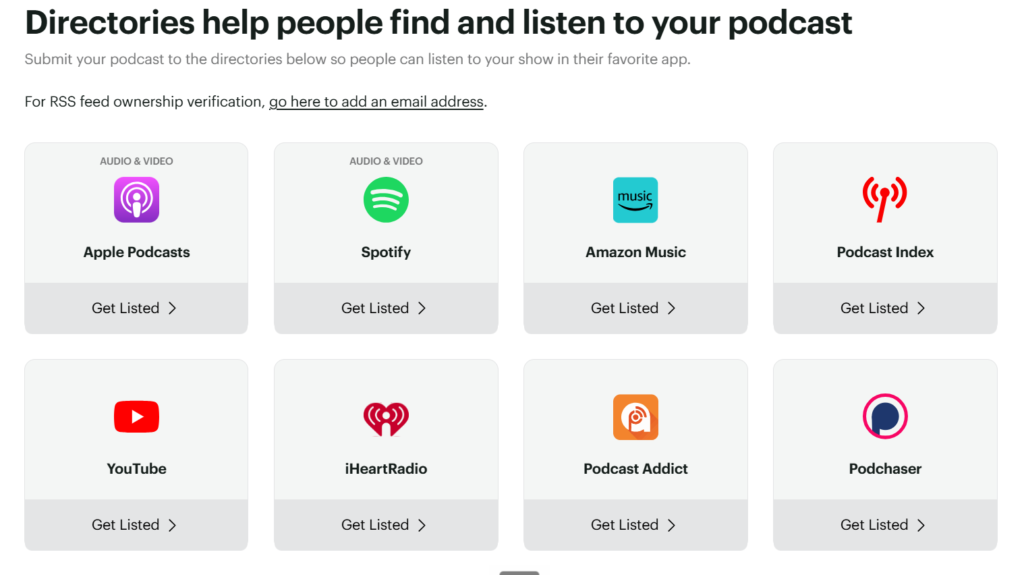
- Distribution to Apple Podcasts and Spotify: any decent host submits you to both. Check that it is one-click and that it also covers YouTube, which is now a top podcast app.
- Analytics: IAB-certified numbers, not a vanity count. Sponsors ask for the certified figure, so hosts that fudge it cost you deals later.
- Private podcasting: needed for internal, membership, or course feeds. Look for a unique feed per subscriber so you can track and revoke access.
- Multiple shows: if you will run more than one, a host that charges per show gets expensive fast. Some include unlimited shows on one bill.
- Migration-friendliness: most guides skip this, but check how easily you can leave before you sign up. You want a host that preserves your episode GUIDs, the unique IDs Apple warns must never change or you get duplicate episodes, plus a one-click import on the way in and a clean 301 redirect on the way out. Get both and switching later is a morning of work, not a hostage situation.
Which podcast host is best for your use case?
The pick changes with the job. Here is the short version, each linked to the full breakdown.
Running multiple shows: Transistor hosts unlimited podcasts on every plan, one account, one bill, starting at $19. A second or fifth show costs nothing extra. Full case in the best host for multiple shows. Start a Transistor trial.
A private or internal podcast: Transistor again, because it builds a unique private feed per subscriber and includes private podcasting on the $19 plan. Details in the best host for a private or internal podcast. Try Transistor.
Growing or monetizing a show: Captivate leads here. Its $17 Personal plan, billed yearly, ships dynamic ad insertion through its AMIE tool, plus the marketing and promotion kit, on the entry tier, so you are not paying up to unlock the growth tools. Start a Captivate trial.
A first podcast: Buzzsprout is the gentlest on-ramp, with the cleanest interface and a limited free tier, which is why it is the beginner pick. Try Buzzsprout. The honest downside: it is built one show per account, so a second podcast means a second subscription.
Auto-posting to YouTube and the cheapest ad insertion both come down to specific qualifiers on price and feature, covered in the best host that auto-distributes to YouTube and the cheapest host with dynamic ad insertion. If a built-in site matters, see which hosts include a free website, or go standalone with a dedicated podcast website builder.
Want two hosts side by side instead? The direct matchups are in Transistor vs Buzzsprout, Captivate vs Buzzsprout, Transistor vs Captivate, and Buzzsprout vs Podbean.
How much should you pay for podcast hosting?
For most people, $17 to $19 a month is the honest going rate, and you should not pay more until your downloads force it. Transistor’s Starter is $19 and includes unlimited shows, a website, and real analytics, capped at 20,000 downloads a month. Captivate’s Personal is $17 and unlocks every feature it sells, including ad insertion, up to 30,000 downloads. Transistor gives you two months free if you pay yearly, and Captivate’s $17 is already its yearly rate, $19 month to month.
The trap is the tier jump. On most hosts, you climb in price because you crossed a download line, not because you needed a new feature, so a busier show pays more for the same tools. Buzzsprout runs a limited free plan, 2 upload hours a month with episodes gone after 90 days, and paid plans from $18 a month ($15 annually), which is friendlier at the start. If budget is the deciding factor, the cheapest hosting options rank in the free and sub-$15 field, and the real ladders are in Transistor’s pricing guide and Captivate’s pricing breakdown.
Can you switch podcast hosts later?
Yes, and you are not locked in, which takes the pressure off this whole decision. Because your show lives on an RSS feed, moving hosts means importing your existing episodes into the new host and pointing a redirect from your old feed to the new one. Do the redirect right and your listeners, your subscribers, and your download history all follow. Do it wrong and you can lose subscribers or reset your numbers, so the redirect step is the one to get careful about.
Most good hosts import your back catalog for you in a few clicks, and they want your business, so the process is smoother than it sounds. The full walkthrough, including the redirect gotcha that trips people up, is in how to switch podcast hosts without losing your subscribers. Short version: pick the host that fits the show you are building now, and switch later if the show outgrows it. The cost of choosing wrong is a morning of migration, not a trap.
FAQ
What is the best podcast host to start with? For a first show, Buzzsprout is the easiest way in, with a clean interface and a limited free tier. If you already know you will run more than one show, start on Transistor so you are not paying per podcast.
How much does podcast hosting cost? Most creators pay $17 to $19 a month. Captivate Personal is $17, and Transistor Starter is $19, both with two months free on annual billing. Buzzsprout has a limited free plan and lower paid tiers. Libsyn starts lower still, at $8 to $12 a month, but meters your uploads instead of your downloads, which is broken down in Libsyn’s plans and real costs.
Do you need a podcast host, or can you use YouTube or Spotify directly? You need a host if you want your show in Apple Podcasts and every other app at once. A host owns your RSS feed, which those apps read. YouTube and Spotify are destinations your host feeds into, not replacements for it.
Can you move your podcast to a different host later? Yes. You import your episodes to the new host and set a 301 redirect on your old feed, which carries your subscribers and download history over. Handled correctly, listeners never notice.






