
Podcast RSS Feed Format: The Tags That Matter
Last updated: September 2026
This post contains affiliate links, and we may earn a commission if you sign up through them, at no cost to you. See our Affiliate Disclosure. Details as of July 2026.
A podcast RSS feed is an XML file in two halves. The top describes the show once, and below it one repeating block describes each episode. Apple’s own tags sit on top of standard RSS through a namespace, which is why fields like season number and explicit rating survive across every app.
You almost never edit this file. Your host writes it every time you publish. Knowing what is in it still pays off, because when a directory rejects your show or an episode shows up twice, the answer is always a tag. Those two cases are walked through in podcast feed rejected by Apple and podcast not showing in Apple Podcasts or Spotify. For the plain-English version of what a feed does at all, start with how podcast RSS feeds work, and if you just need the address itself, that is where to find your feed URL.
What does a podcast RSS feed look like?
Stripped to the parts that decide anything, it is short.
<rss version="2.0" xmlns:itunes="http://www.itunes.com/dtds/podcast-1.0.dtd">
  <channel>
    <title>Your Show Name</title>
    <description>What the show is about</description>
    <language>en-us</language>
    <itunes:image href="https://example.com/artwork.jpg"/>
    <itunes:category text="Technology"/>
    <itunes:explicit>false</itunes:explicit>

    <item>
      <title>Episode 12: The One About Feeds</title>
      <enclosure url="https://example.com/episode-12.mp3" length="28311552" type="audio/mpeg"/>
      <guid isPermaLink="false">ep-12-unique-id</guid>
      <pubDate>Tue, 28 Jul 2026 09:00:00 -0500</pubDate>
      <itunes:duration>1847</itunes:duration>
    </item>

  </channel>
</rss>
Everything inside channel but above the first item is show-level. Every item is one episode. Add an episode and your host writes a new item block at the top. That is the entire mechanic behind “publish once, appears everywhere.”
Which tags actually matter?
Four of them do real work, and the rest are metadata that make your listing look right.
enclosure is the audio file. It carries the URL, the file size in bytes, and the MIME type. If an episode has no enclosure it is not an episode, it is a blog post that happens to be in a podcast feed, and it will not play anywhere.
guid is the permanent ID an app uses to tell one episode from another. It is not the title and not the URL. If a host or a bad import changes it, every app reads the same audio as something brand new, which is exactly how a listener ends up with your back catalog twice. Leave it alone forever, and if you want the long version, that is what a GUID is in a podcast feed.
itunes:image is your cover art, and Apple has hard requirements on dimensions and format. It has to be square, between 1400 by 1400 and 3000 by 3000 pixels, and saved as PNG or JPEG with no transparency and no alpha channel. Apple prefers 3000 by 3000, so shoot for that and you are covered everywhere. Get this wrong and your show is rejected before a human ever sees it.
itunes:category decides where you are filed. Apple accepts a fixed list, so a category you invent is a category that does not apply.
The rest, language, pubDate, itunes:duration, itunes:explicit, shape how your show is displayed and filtered rather than whether it works.
Why does my feed break?
Almost always one of four things, and none of them require you to open the XML.
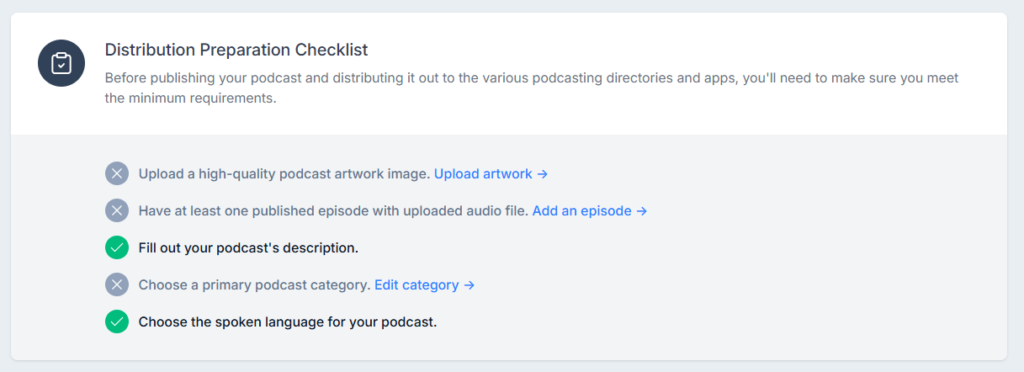
An episode has no playable enclosure, usually because an upload failed partway. Artwork does not meet Apple’s spec. A required show-level field like category or language is empty. Or a GUID changed underneath you during a host migration and every app re-downloaded your catalog.
That last one is the expensive mistake, and it is a migration problem rather than a feed-writing problem. A host that imports properly preserves the original GUIDs. One that does not will hand your subscribers fifty notifications in an afternoon.
Do you ever edit the feed yourself?
No, and you should be suspicious of any workflow that asks you to.
The whole job of a podcast host is writing valid XML so you never think about it. You fill in a title, a description, and a category in a form, upload an audio file, and the host produces a compliant feed. If you find yourself hand-editing tags, either something has gone wrong, or you are self-hosting a feed, which is a job with no upside for almost everyone.
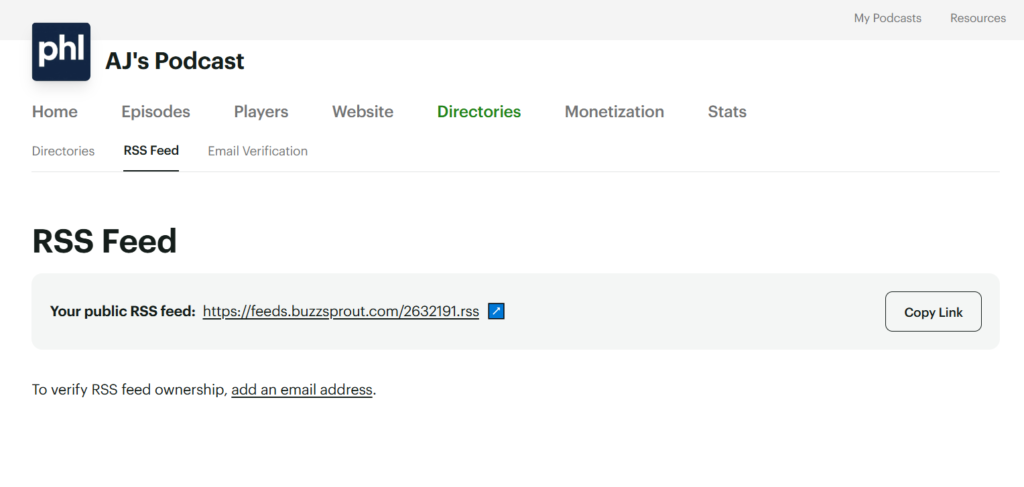
What you do control is upstream. Fill in every show-level field before you submit anywhere, use artwork that meets the spec, and pick a host that preserves GUIDs on import. Get those three right and the file underneath takes care of itself. If you are still choosing, cheapest podcast hosting ranks the free and low-cost hosts with the catch on each.
FAQ
What format is a podcast RSS feed? XML, following the RSS 2.0 specification with Apple’s podcast namespace layered on top. That namespace is what adds podcast-specific fields like duration, season, episode number, and explicit rating.
What audio format do podcasts use? MP3 is the default and the safest choice for compatibility. The enclosure tag declares the type, commonly audio/mpeg, so apps know what they are fetching before they download it.
What is the guid tag in a podcast feed? A permanent unique ID for each episode. Apps use it to recognize an episode they have already seen. Changing it makes an old episode look new, which is the usual cause of duplicate episodes appearing after a host migration.
Can I write my own podcast RSS feed? Technically yes, practically no. You would be hand-maintaining valid XML forever and hosting the audio yourself, for no benefit over a host that does it correctly and cheaply.
Why was my podcast rejected by Apple? Usually artwork that misses the spec, a missing required show-level field, or an episode with a broken enclosure. Apple’s validator names the failing tag, and the fix is in your host’s settings rather than in the file.






