
How to Join the Spotify Partner Program Without Spotify
Last updated: September 2026
Yes, you can monetize through the Spotify Partner Program while your show stays on its current host. Only a handful of hosts support it: Acast, Audioboom, Libsyn, Omny, and Podigee were Spotify’s launch partners for the Distribution API in January 2026. If you are on Buzzsprout, Captivate, or Transistor, you cannot, at least not yet.
This post contains affiliate links, and we may earn a commission if you sign up through them, at no cost to you. See our Affiliate Disclosure.
Plans and program terms verified against the vendors’ live pages, July 2026.
Can you join the Spotify Partner Program if you do not host with Spotify?
You can, but not by applying to Spotify. Spotify’s own support page is blunt about it: if you use another hosting platform, “reach out to your provider for more details on if they will support access to the Spotify Partner Program.” There is no path through the Spotify for Creators dashboard for a show hosted elsewhere. The host has to build the integration and hand you the button.
That integration is the Distribution API Spotify announced on January 7, 2026, which lets you publish and monetize video without re-uploading anything. Launch partners were Acast, Audioboom, Libsyn, Omny, and Podigee.
Notice who is missing. The three hosts most first-time podcasters actually pay for, Buzzsprout, Captivate, and Transistor, are not on that list. They distribute audio to Spotify perfectly well. That is a different thing from Partner Program monetization, and the difference costs money.
What does Spotify require before you qualify?
Four things, and they got much easier in January 2026. Per Spotify’s Partner Program page, you need at least 3 published episodes all time, 2,000 consumption hours on Spotify in the last 30 days, 1,000 audience count on Spotify in the last 30 days, and a legal address in one of 23 eligible markets, with 41 more across Europe and the Americas, including Brazil, Mexico, Italy, and Spain, joining on October 20, 2026.
The old bar was 12 episodes, 10,000 hours, and 2,000 listeners. Cutting hours by 80% is the change that matters, and almost nobody has updated their advice to reflect it.
Do not let the friendly episode count fool you, though. Three episodes is nothing. Two thousand consumption hours in thirty days is the wall. That is roughly 4,000 half-hour listens a month, on Spotify alone, not counting Apple or anywhere else. A show clearing that is not a beginner show.
There is a maintenance rule too: in any six-month period you have to publish an episode and earn at least $10, or you drop out.
Money comes from two places. Ads pay a 50% share of the revenue recognized each time an ad plays in your episodes. Premium video pays on qualifying consumption time and the registration market of the Premium users watching, which Spotify does not express as a percentage anywhere public.
How do you enroll through Libsyn?
Libsyn is the launch partner with the clearest public documentation, so it is the one worth walking through. Two separate enrollments, in order.
First, Spotify Video. From your Libsyn account, click the settings icon, then Destinations, find the Spotify row, click Manage, tick Enable Spotify Video, and Submit. Libsyn’s doc is explicit that this sits on the Advanced plan or higher, that you must be the show owner, and that your show has to pass Spotify’s brand safety check.
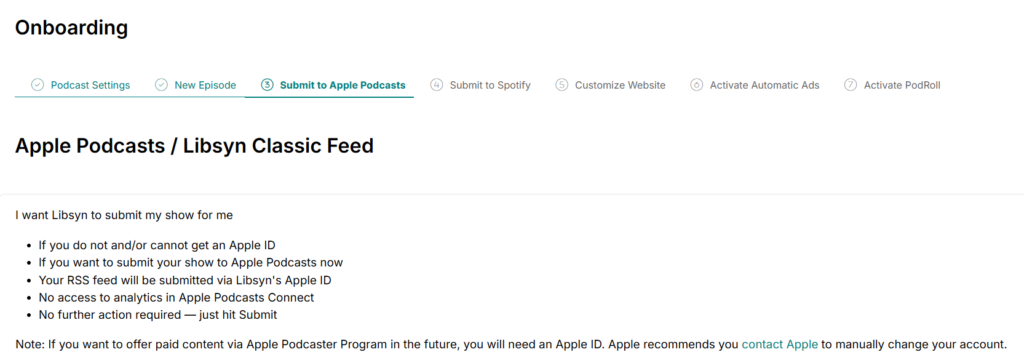
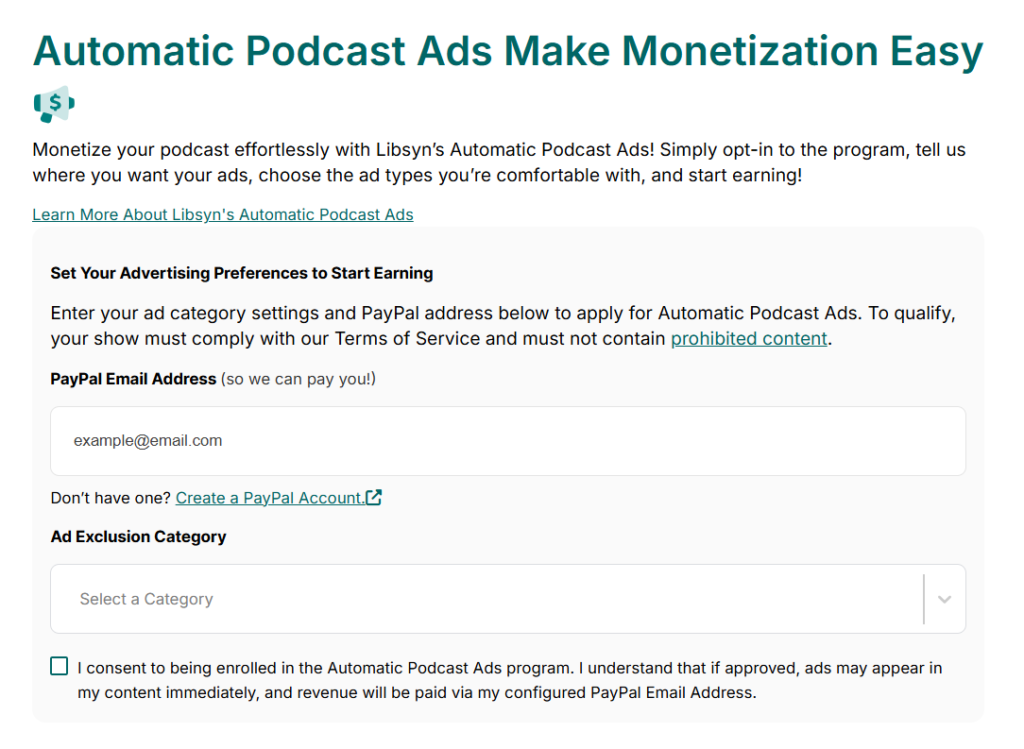
Then the Partner Program itself. Settings icon, then Spotify Partner Program, which opens the Spotify Video Advertising Settings page. Pick the content category that describes your show, pick any ad categories you want kept away from it, and hit Apply. If you are not already in Libsyn’s Automatic Ads, that enrollment form is folded into this one and you will enter a PayPal address here.
Then you wait. Status reads Pending while Spotify reviews, typically up to seven days.
You can apply before you qualify. It just parks in Pending until you hit the thresholds or Spotify reviews it, which beats forgetting about it for six months.
What does it cost?
$25 a month, which is Libsyn’s Advanced plan. Spotify Video Distribution does not appear on Basic at $12, and it is absent from the $8 Bare Essentials plan entirely. Advanced gets you 10 hours of audio uploads a month, advanced IAB stats, and both YouTube and Spotify video distribution. Above it, Max runs $150 for 55 hours.
Every plan includes video uploads up to 100GB a month, around 50 hours, and video does not count against your audio allowance. Libsyn gives all plans a 30-day free trial, so you can see the Spotify configuration screen before paying anything.
What Libsyn requires that Spotify does not
This is the part that catches people, and it is not in Spotify’s documentation anywhere.
Libsyn’s enrollment doc says your show needs at least three video episodes published, each carrying at least one ad marker. Video episodes take pre-roll and post-roll slots only. Mid-roll is not supported for video right now, which quietly removes the most valuable ad position in podcasting from the equation.
Automatic Ads is a prerequisite, not an option. Approval takes up to five business days by email, and once you are in, Libsyn auto-enables two pre-roll and two post-roll slots that you can adjust later. Your content also gets converted to MP3 for ad compatibility. If you have been uploading higher-quality files, know that going in.
You also choose how squeamish you want to be about ad categories, across three tiers. Open blocks religion, firearms, and illegal substances. Middle of the Road adds alcohol, law, and government and politics. Cautious piles on arts and entertainment, business, family, health, food, news, and personal finance. Libsyn says the quiet part out loud: fewer restrictions mean more earning potential. Pick Cautious, and you are choosing a smaller check.
What changes about your RSS feed?
Your Spotify distribution stops running on RSS. Once Spotify Video is enabled, Libsyn pushes your show to Spotify through the API instead, and your feed keeps serving audio to Apple Podcasts and everywhere else exactly as before.
Worth understanding before you flip the switch, because it means Spotify is no longer reading the same feed as every other directory. If something looks wrong on Spotify but fine on Apple, that split is where to start looking. Our guide to how podcast RSS feeds work covers what the feed is still doing for you.
When do you actually get paid?
Slowly. Payments land in PayPal within 90 days of the end of the month the ad activity happened in, so a January impression can pay out in April. Spotify pays Libsyn, and Libsyn folds it into your payout.
Libsyn is also refreshingly honest that impressions do not map to money. Earnings run on eligible ad playback, and a listener who skips before the ad has played long enough earns you a partial payment or nothing. In their words, projected earnings cannot be determined from impression counts alone. You can watch eligible impressions, earnings, and pending payouts at advertising.libsyn.com under Payouts.
Is it worth switching hosts for?
For most shows, no, and I would rather say that than sell you a migration.
Run the numbers first. If you are not pushing 2,000 consumption hours a month on Spotify by itself, none of this pays you anything, and the honest move is to spend the next year on the audience instead of the plumbing. Check the Monetize tab in Spotify for Creators or your host’s Spotify stats before you touch anything.
If you are clearing that bar and you are already on Libsyn, enroll. It is $25 a month you may be paying anyway. The work is two forms, and the 50% ad share is real money at that scale.
If you are clearing it and you are on Buzzsprout or Transistor, the calculation is harder than a $25 plan fee. You are trading a host you like for one that unlocks Spotify revenue, plus the feed migration, plus mid-roll ads you will not get on video. I would wait. More hosts are joining the Distribution API, and yours may be next. If you decide the move is worth it anyway, the migration off Spotify for Creators is the part to get right.
The pure video-first shows are the exception. If Spotify is where your audience actually watches, the monetization sits with the five hosts that built the integration, and no amount of loyalty to your current dashboard changes that. Compare the options in the best podcast host for video podcasts and our YouTube-focused breakdown.
FAQ
Can I be in the Spotify Partner Program without hosting on Spotify? Yes, if your host supports it. Acast, Audioboom, Libsyn, Omny, and Podigee were the January 2026 launch partners for Spotify’s Distribution API. You enroll through the host, not through Spotify.
Does Buzzsprout support the Spotify Partner Program? Not as of July 2026. Buzzsprout distributes to Spotify, but it was not among the Distribution API launch partners, so there is no Partner Program enrollment path from inside it.
What are the Spotify Partner Program requirements in 2026? Three published episodes all time, 2,000 consumption hours in the last 30 days, 1,000 audience count in the last 30 days, and a legal address in an eligible market. Spotify cut these thresholds substantially in January 2026.
How much of the ad revenue do I keep? Spotify pays a 50% share of the revenue recognized when an ad plays in your episodes. Premium video revenue is calculated separately, on consumption time and listener market, with no published percentage.
Do I need a paid Libsyn plan for Spotify Video? Yes. Spotify Video Distribution starts on the Advanced plan at $25 a month. The $12 Basic plan covers YouTube distribution only.
Why can’t I run mid-roll ads on my video episodes? Spotify’s video ad slots currently support pre-roll and post-roll only. Libsyn states this directly in its enrollment documentation, and it applies to video episodes, not your audio feed.






