Zencastr vs Riverside: Free Is the Whole Argument
Last updated: September 2026
This post contains affiliate links, and we may earn a commission if you sign up through them, at no cost to you. See our Affiliate Disclosure. Pricing as of September 2026.
Use Zencastr if you want separate tracks for nothing, and pay for Riverside if you want 4K video, AI editing, and live streaming in the same tool. Both record each person locally, which is the part that actually protects your audio. Everything after that is polish, and Riverside charges for polish.
Key takeaways
- Zencastr’s pricing page lists a free tier and a custom Enterprise tier, with no dollar prices shown anywhere on it as of September 2026.
- Zencastr’s homepage sells the free plan as “Unlimited studio-quality recording and hosting, for Free” at 4K video and 48kHz audio.
- Riverside’s free plan is a demo rather than a workhorse: one 2-hour multitrack session, 720p video, and a Riverside watermark.
- Riverside Pro costs $35 a month billed monthly, or $24 a month on an annual plan at $288 a year. Recording is unlimited, and it includes 15 hours of separate-track downloads a month.
- Riverside Grow costs $45 a month, or $34 annually at $408 a year, and raises separate-track downloads to 20 hours plus 1080p live streaming to unlimited destinations.
- Both tools record every participant locally, so a guest’s bad Wi-Fi does not ruin the file you keep.
Zencastr vs Riverside at a glance
| Zencastr | Riverside | |
|---|---|---|
| Free plan | Yes, up to 6 people per session, unlimited recording time | One 2-hour multitrack session, 720p, watermarked |
| Entry paid plan | Not listed publicly today, only a custom Enterprise tier | Pro, $35 a month, or $24 billed annually |
| Recording hours on entry paid plan | Not published | 15 hours of separate-track downloads a month, recording unlimited |
| Video quality | 4K claimed on the homepage | Up to 4K on Pro |
| Separate tracks | Yes | Yes |
| AI editing and repurposing | Transcripts, show notes, and cover art | Text-based editing, AI clips, filler-word removal, eye contact correction |
| Live streaming | Listed at 1080p | 1080p multistreaming from Grow up |
Is Zencastr really free?
That is the whole reason to look at it, and the answer today is yes, with a caveat about where the company is heading.
Zencastr’s pricing page currently leads with a free tier and then jumps straight to a custom Enterprise plan. No dollar figures appear on it at all. Its homepage sells that free tier as “Unlimited studio-quality recording and hosting, for Free,” at “4K video & 48Khz audio.”
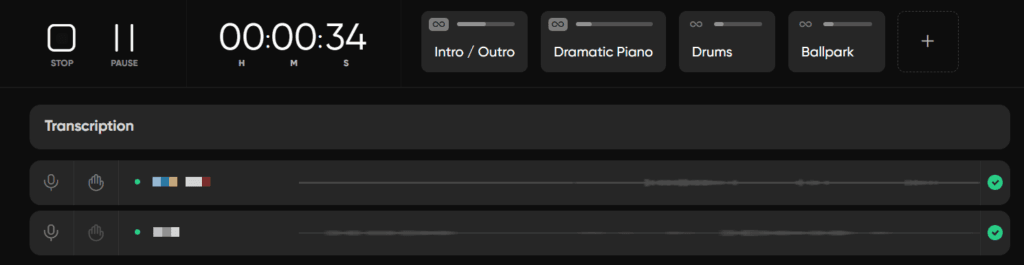
For a two-person interview show, that covers the job: each person’s audio recorded on their own machine, separate files at the end, and transcripts generated for you.
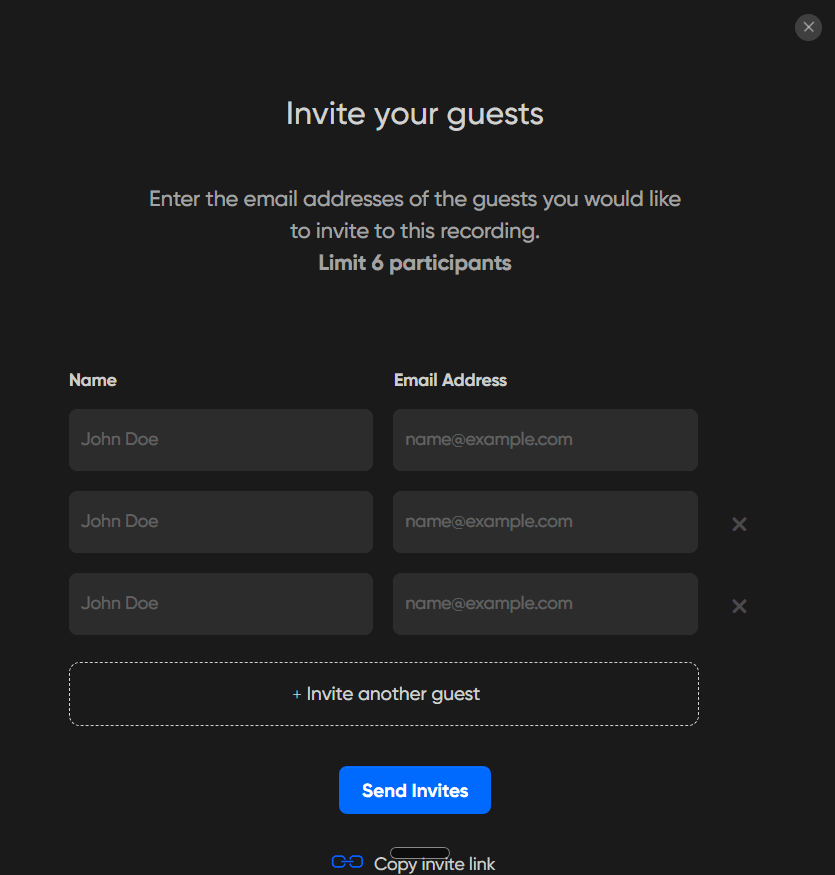
Inside a free account in September 2026, the guest invite screen reads “Limit 6 participants.” That matches Zencastr’s recording page, which allows up to six people in a session for free and records each one on a separate track. The same page promises unlimited recording time and an automatic transcript for every recording.
One caveat. The welcome message on a new free account describes part of its unlimited package as free “for a limited time,” so check the current terms before you build a weekly show around it.
What do you get for Riverside’s $35?
Riverside Pro is $35 a month billed monthly, or $24 a month if you pay $288 for the year. Recording is unlimited at up to 4K with no watermark, and you can download 15 hours of separate tracks a month.
The money is really going to the production tools. Pro includes text-based editing, unlimited transcriptions, AI clips and show notes, filler-word and silence removal, audio enhancement, and a teleprompter. Grow, at $45 a month or $34 annually, lifts separate-track downloads to 20 hours and adds 1080p live streaming to unlimited destinations.
Our Riverside pricing breakdown goes tier by tier, including the hours-of-downloads limit that catches people out.
Is Riverside’s free plan usable?
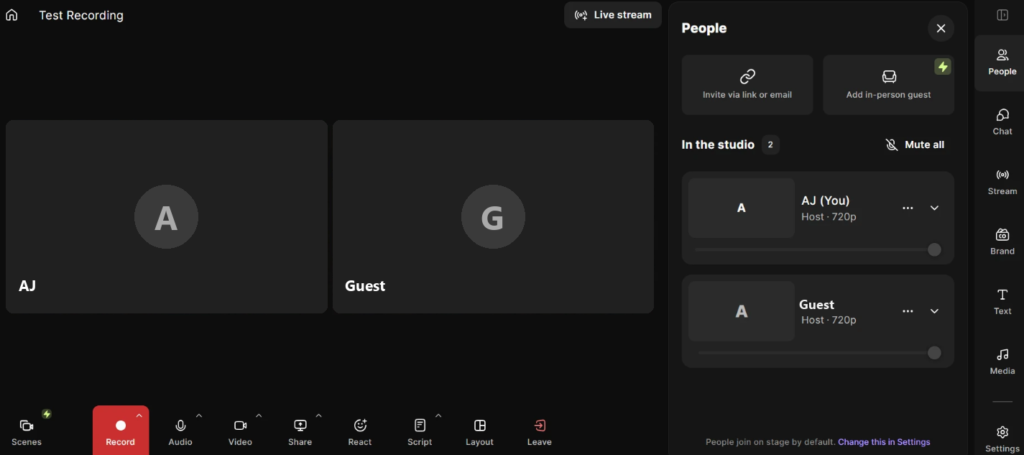
Not for a real show. You get one 2-hour multitrack session, video capped at 720p, and a Riverside watermark on the output. It is a trial with no clock on it, not a free tier you can run a podcast on.
That is the honest difference between these two. Zencastr gives away the thing you need every week. Riverside gives away enough to see whether the paid version is worth it.
Does either one protect you from a guest’s bad connection?
Both do, and it is the single most important feature either sells.
Each participant’s audio and video is recorded on their own device at full quality and uploaded afterwards, rather than captured from the call itself. Both record at 48kHz, comfortably inside the 44.1 or 48 kHz that Apple Podcasts asks for. When a guest’s Wi-Fi stutters mid-sentence, the call sounds rough and the recording does not. If you have ever salvaged a Zoom file, you already know what that is worth.
The mechanics, and what else to check before you commit, are in how to record a podcast remotely.
Where Riverside genuinely pulls away
Editing. Riverside edits by transcript, cuts filler words on command, generates short vertical clips, and corrects eye contact on camera. For a video show shipping clips every week, that is hours back.
Streaming is the other one. From Grow up, Riverside streams 1080p to unlimited destinations at once, so an interview can go out live to YouTube and LinkedIn while it records in full quality locally.
If your edit is the bottleneck rather than the recording, read Riverside vs Descript before you pay for either.
Which should you pick?
Pick Zencastr if your show is audio-first, the budget is zero, and you want separate tracks without a subscription. Start at zencastr.com and spend the money you saved on a better microphone.
Pick Riverside if you record video, post clips, or stream, and you want one tool for all three. Start with Riverside. The honest downside is the metering: 5 hours a month on Pro is two long interviews, and the separate-track download allowance runs out before the recording hours do.
Neither one hosts your podcast in the way a podcast host does, so you still need a feed. Ours is a separate decision and it starts with choosing a podcast host.
Frequently asked questions
Is Zencastr free for podcasts?
Yes. Zencastr’s pricing page leads with a free tier, and its homepage advertises unlimited studio-quality recording and hosting for free at 4K video and 48kHz audio.
How much is Riverside a month?
Pro is $35 billed monthly or $24 a month on an annual plan at $288 a year. Grow is $45 monthly or $34 annually at $408 a year. Both have a 14-day free trial.
Do Zencastr and Riverside record separate tracks?
Both do, and both record each person locally rather than capturing the call, so one guest’s connection does not degrade everyone’s audio.
Can you record video on the free plans?
Zencastr advertises 4K video on its free tier. Riverside’s free plan caps video at 720p and adds a watermark, and gives you one 2-hour multitrack session.
Which is better for a video podcast?
Riverside, clearly, once you are paying. It records up to 4K, edits by transcript, generates clips, and streams live from the Grow plan up.