
Riverside Alternatives: 5 Recording Tools Worth Switching To
Last updated: October 2026
This post contains affiliate links, and we may earn a commission if you sign up through them, at no cost to you. See our Affiliate Disclosure. Pricing as of September 2026.
Leaving Riverside? Pick by the reason. Want to pay nothing? Zencastr. Want the recorder and the editor in one app? Descript. Want to stream live while you record? StreamYard, or Restream if you only need reach. Audio-only show? Cleanfeed. And if you record remote video interviews and cut clips every week, Riverside is probably still the right tool, just on a plan you are watching more closely.
Key takeaways
- Riverside Pro costs $24 a month billed yearly or $35 month to month, and caps separate-track downloads at 15 hours a month even though recording itself is unlimited.
- Zencastr’s pricing page lists a free tier and a custom Enterprise tier, with no dollar prices anywhere on it as of September 2026.
- Descript Hobbyist costs $16 a month per person billed yearly and includes 5 hours a month of remote recording in Descript Rooms.
- StreamYard Core costs $35.99 a month billed yearly and includes unlimited local recordings of each participant while you stream.
- Cleanfeed Lite is free for commercial use but records only a mixed track, and separate tracks per guest need Cleanfeed Pro.
Why do people leave Riverside?
Mostly the bill, and what the bill is measured in. Riverside’s pricing page puts Pro at $24 a month billed yearly ($288 up front) or $35 month to month, and Grow at $34 or $45. The free plan is one 2-hour multitrack session at 720p with a watermark, so it is a test drive, not a plan.
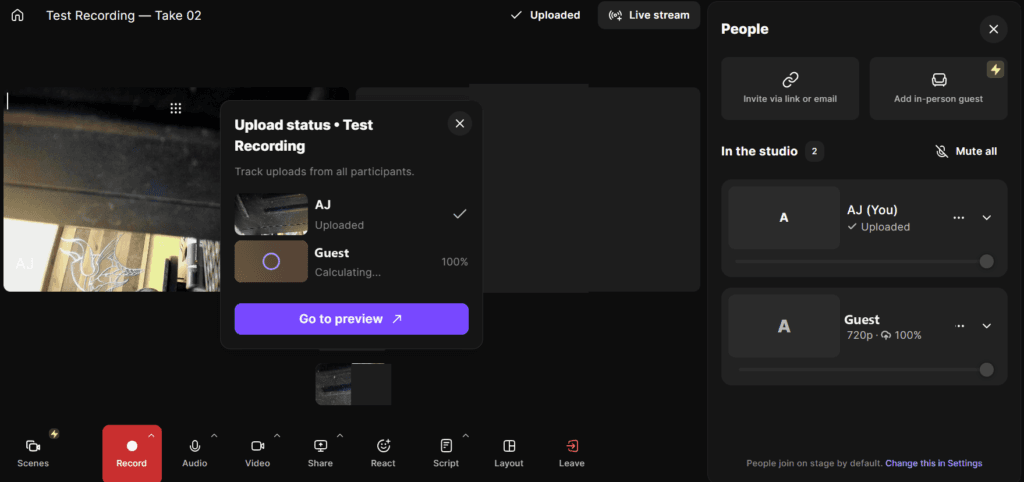
Then there are the meters. Recording is unlimited on every paid plan, but downloading each person’s separate track is capped at 15 hours a month on Pro and 20 on Grow. Riverside’s own FAQ says that if you hit the cap, you cannot download new separate tracks until the next billing cycle or an upgrade. Some AI tools, like AI Translation and AI B-Roll, run on credits. Pro starts with 2,000, and once those are gone you buy more.
The third push is leaving itself. Cancellation runs through a series of questions, and it only counts once Riverside shows you the confirmation. Refund windows are short: 24 hours on a monthly plan, 14 days on a yearly one, and AI credits are never refunded. Our Riverside pricing breakdown walks through the exact cancel steps.
Which Riverside alternatives should you compare?
Five tools cover the real reasons people leave. Prices below come off each vendor’s own pricing page in September 2026. The column that matters most is the third one. A tool that records each person on their own machine keeps a guest’s bad Wi-Fi out of your file. A tool that records the call does not.
| Tool | Free plan | Entry paid price | Records each person locally | Pick it for |
|---|---|---|---|---|
| Riverside | One 2-hour multitrack session, 720p, watermark | Pro, $24/mo billed yearly or $35 monthly | Yes | Baseline: remote video plus AI editing |
| Zencastr | Yes, the tier its pricing page leads with | No public price, custom Enterprise only | Yes | Recording for free |
| Descript | 2 recording hours, 1 media hour a month | Hobbyist, $16/mo billed yearly or $24 monthly | Yes, in Descript Rooms | Recording and editing in one app |
| StreamYard | 2 hours a month of local recording, StreamYard logo | Core, $35.99/mo billed yearly or $44.99 monthly | Yes, once local recording is switched on | Going live while you record |
| Restream | Streams to 2 channels, Restream branding | Standard, $19/mo monthly | Not on Standard. Professional adds split tracks and a beta local recording | Cheap multistreaming |
| Cleanfeed | Lite, 2 guests, one mixed track | Pro, $23/mo subsidized or $36/mo for businesses | No, it records live on the host side | Audio-only shows |
Riverside is the only one here with 4K recording, text-based editing, clips, live streaming, and now podcast hosting on the same paid plan. Each alternative wins by doing one of those jobs for less.
Is there a free Riverside alternative?
Yes. Zencastr is the one to try first. Its pricing page leads with a free tier called Vibecastr and then jumps straight to a custom Enterprise plan, with no dollar figures anywhere. The homepage sells that free tier as “Unlimited studio-quality recording and hosting, for Free” at 4K video and 48kHz audio, with local recording and cloud backup.
For a two-person interview show, that is the job Riverside charges for: each voice captured on its own device, then uploaded as its own file. You give up Riverside’s editing depth and clip tools, which is fine if you edit somewhere else.
The catch is how little the public page tells you. Its recording page does spell out the basics: up to six people in a session, a separate track for each, and unlimited recording time, and our free account showed the same six-person limit. But with no paid tier listed, you are trusting a free plan that the welcome message on a new account calls unlimited “for a limited time,” and the homepage now leads with recording on your phone. Test a real session before you move a weekly show onto it. Our Zencastr vs Riverside comparison goes deeper. Start at zencastr.com.
Which alternative records and edits in the same app?
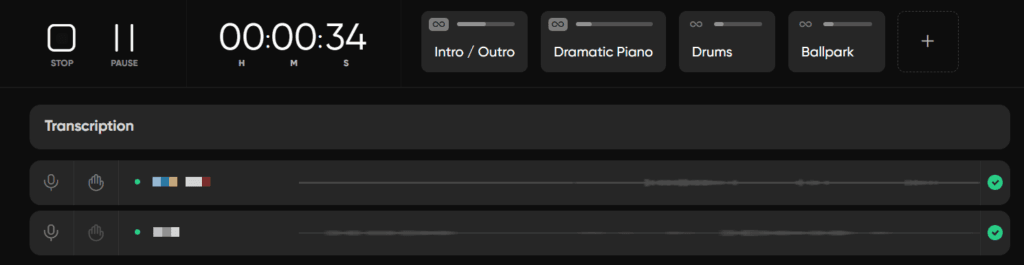
Descript. Its remote recorder, Descript Rooms, records you and your guests locally at up to 4K, and the session lands in the editor already transcribed. The Hobbyist plan is $16 a month per person billed yearly, or $24 month to month, with 5 hours of Rooms recording and 10 media hours a month. Creator, at $24 billed yearly, raises Rooms recording to 15 hours a month.
The edit is why you would pick it. You cut the audio by deleting words in the transcript, remove filler words with a click, and clean a rough room with Studio Sound. Riverside edits by text too, but Descript is built around the editor, and that is where it pulls ahead. If you used SquadCast, it sits under Descript now. Its help center says Rooms builds on SquadCast and will eventually replace it, with no sunset date set yet.
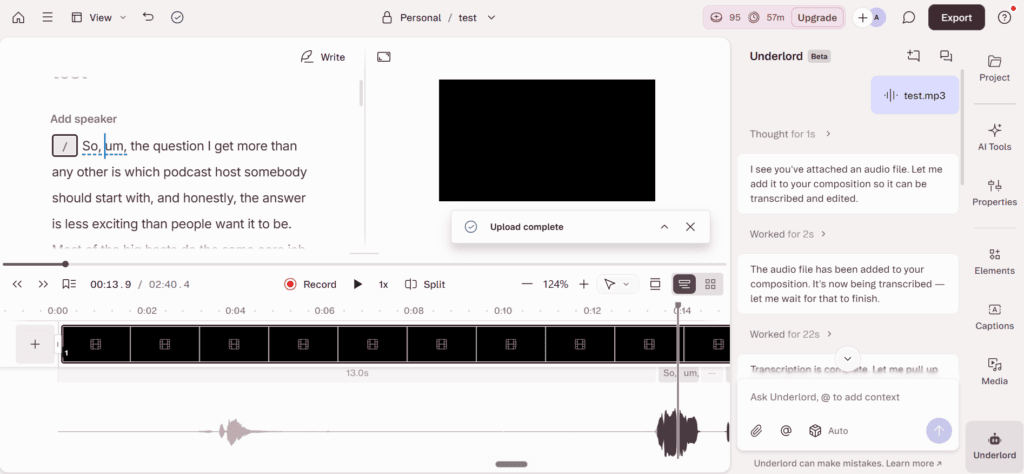
The catch is the meters. Five hours of Rooms recording is five hour-long interviews, those hours also count against your media hours, and the price is per person, so a co-host who edits is a second seat. Hobbyist is also the cheapest paid plan on this page. Descript pricing breaks down every tier, and Riverside vs Descript covers how the two split the job. Try Descript free.
What should you use to stream live while you record?
StreamYard. It runs the live show in your browser and records everyone at the same time. StreamYard’s help center says local recording saves a separate audio and video file for each participant in the browser, so the files do not depend on the connection, and the audio comes down as WAV. Switch it on before you go live.
Core is $35.99 a month billed yearly, or $44.99 month to month, and includes 1080p, no StreamYard logo, multistreaming to 3 destinations, 10 people on screen, unlimited local recordings, and 50 hours of permanent storage. Advanced, at $68.99 billed yearly, adds 4K local recordings and 8 destinations. The free plan gives you 2 hours of local recording a month with the StreamYard logo on the stream.
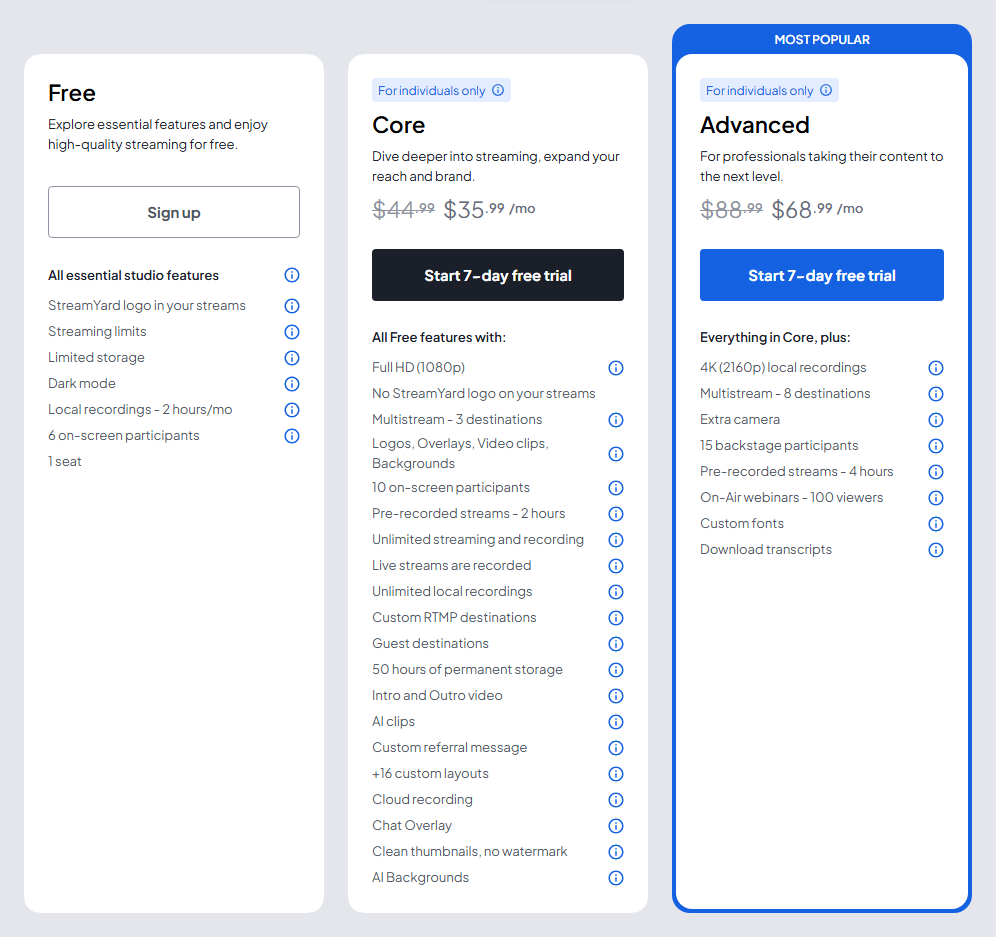
The downside is that StreamYard is a live studio first. There is no transcript editor like Riverside’s or Descript’s, so plan on a separate editor. Core and Advanced are also for individual use only, and a company needs StreamYard’s Business plans. StreamYard’s refund policy also takes requests within 20 days of a monthly charge and 60 days of a yearly one, far longer than the 24 hours Riverside gives a monthly plan. Our live streaming software guide compares it with Restream, and our StreamYard alternatives guide covers the other options. Try StreamYard free.
What is the cheapest way to multistream instead?
Restream, if reach is the whole point. The free plan streams to 2 channels at once with Restream branding, and Standard is $19 a month on monthly billing for 3 channels and no branding. Professional, at $49 monthly, adds 1080p streaming, 5 channels, and 4K recording. The page advertises up to 20 percent off for paying yearly. Paying yearly, Standard works out to about $16 a month ($190 a year) and Professional to about $39 ($470 a year).
It ranks below StreamYard for a podcast because per-guest recording costs more. Standard gives you a full video or full audio file of the stream. Restream’s help center says local recording of each participant starts on Professional, and it still labels that feature a beta that works best in desktop Chrome and leaves out guests who join from a phone. Recordings are kept for only 15 days on Standard and Professional. Its Studio also stays at 720p until Professional. Buy it to be everywhere at once, not to replace Riverside’s recorder. Start at restream.io.
What is the best Riverside alternative for an audio-only podcast?
Cleanfeed, if you never turn a camera on. It does real-time, high-definition audio between people in different places, and nothing else. Cleanfeed Lite is free, commercial use included, with unlimited recording time and room for 2 guests.
Separate tracks are the paywall. Lite records one mixed track, and a track per guest needs Cleanfeed Pro, which runs $36 a month for businesses or $23 a month on a subsidized rate. That rate is for personal projects earning under $5,000 a year, registered charities, and schools, and yearly renewal takes off another 20 percent. Pro allows up to 32 guests.
Know how it works before you switch. Cleanfeed’s FAQ says plainly that it is not a double-ender: the recording is made live on the host’s side. That is the opposite of Riverside’s approach, so a guest on a shaky connection can still be heard in the file. For guests with solid internet, the tradeoff is fine. For guests on hotel Wi-Fi, stay with a local recorder like Zencastr.
When should you stay with Riverside?
When the show is remote video interviews and you want one app from recording to clips. Nothing on this page matches Riverside’s combination of local 4K capture, a text editor, AI clips, 1080p multistreaming on Grow, and, according to its hosting page, podcast hosting with analytics on every paid plan. Replacing all of that means two or three tools, and two or three bills.
If price is the only complaint, check the meters before you move. Recording is unlimited, so the real cap is the 15 hours of separate-track downloads on Pro, which a weekly one-hour interview show will not hit. Paying yearly takes Pro from $35 to $24 a month. Start at riverside.com, and if you are moving guests over to a new tool, how to record a podcast remotely covers the setup that works in any of them.
So which Riverside alternative should you pick?
Want to spend nothing? Choose Zencastr, the free tier its whole pricing page is built around. Start at zencastr.com. The downside: part of the free package is billed as limited-time, so test it on a real session first.
Want to record and edit in one place? Choose Descript at $16 a month billed yearly. Try Descript free. The downside: 5 recording hours a month on Hobbyist, and every editor is a paid seat.
Want to stream live and keep clean files? Choose StreamYard at $35.99 a month billed yearly. Try StreamYard free. The downside: no transcript editor, so you still need one.
Only need reach? Restream at $19 a month. The downside: Standard records only the stream, and per-guest files start on Professional at $49 monthly. Audio only? Cleanfeed, free to start. The downside: separate tracks cost $23 to $36 a month, and it records live rather than locally.
Whichever you land on, the recorder is not the whole stack. If Riverside was hosting your show and you are leaving, the feed has to move too, and switching podcast hosts without losing subscribers covers that part.
FAQ
What is the best alternative to Riverside? It depends on why you are leaving. Zencastr is the pick for recording free, Descript for recording and editing in one app, StreamYard for streaming live while you record, and Cleanfeed for audio-only shows. For remote video interviews with clips, Riverside is still the strongest single tool.
Is there a free alternative to Riverside? Yes. Zencastr’s pricing page leads with a free tier and lists no paid prices at all. Cleanfeed Lite is free with 2 guests on one mixed track, and StreamYard and Descript both have free plans with small recording allowances.
Is SquadCast still an option? SquadCast is part of Descript now. Descript’s help center says Rooms, its built-in recorder, builds on SquadCast and will eventually replace it, with no sunset date set. A new user should start in Rooms.
Which Riverside alternative is cheapest? Zencastr costs nothing. The cheapest paid plan here is Descript Hobbyist at $16 a month per person billed yearly, which includes 5 hours of remote recording a month. Riverside Pro is $24 billed yearly.






