
Podcast Episode File Size Limits by Host (2026)
Last updated: August 2026
This post contains affiliate links, and we may earn a commission if you sign up through them, at no cost to you. See our Affiliate Disclosure. Host limits verified August 2026.
Buzzsprout allows 5 GB per episode. Acast stops at 150 MB. Libsyn ignores per-file size entirely and caps how many megabytes you upload per month instead. Those are three different products wearing the same label, and only one of them will ever actually block you.
Here is the part nobody says out loud: if you export MP3 properly, none of these limits apply to you. Hitting one is almost always a sign that you uploaded the wrong file.
What is the file size limit on each podcast host?
The spread is enormous, from 150 MB to 5 GB, and the number a host advertises is rarely the number that governs your workflow. Two hosts here do not publish a per-file cap at all. One replaces it with a monthly allowance. Taken from each host’s own documentation as of August 2026.
| Host | Limit per episode file |
|---|---|
| Buzzsprout | 5 GB |
| Podbean | 3 GB, with cover images capped separately at 2 MB |
| Transistor | 2000 MB hard cap, but the docs recommend staying under 200 MB |
| Castos | 200 MB when episodes come through the Seriously Simple Podcasting WordPress plugin |
| Acast | 150 MB |
| Spotify for Creators | None stated. Larger files take longer and fail more often mid-upload |
| Captivate | Not published anywhere in the help docs |
| Libsyn | No per-file cap. Limits you by monthly upload allowance instead |
Why is Acast’s limit so much lower than everyone else’s?
Because Acast picked a different problem to solve. Its 150 MB ceiling is set deliberately to match the size at which mobile platforms stop letting a listener download over cellular, and Acast is explicit that going over it produces an episode unavailable error on the listener’s end.
That is a defensible design choice, even if it reads as stingy next to Buzzsprout’s 5 GB. A 2 GB episode sitting in your library is not a feature if half your audience cannot pull it down on the train.
The practical effect is that Acast forces the discipline the other hosts leave optional. At 150 MB you cannot upload a WAV, you cannot upload a 320 kbps stereo export of a long episode, and you have to think about bitrate before you publish. Whether that is a limitation or a guardrail depends entirely on how much you trust your own export settings.
How Libsyn’s monthly allowance changes the math
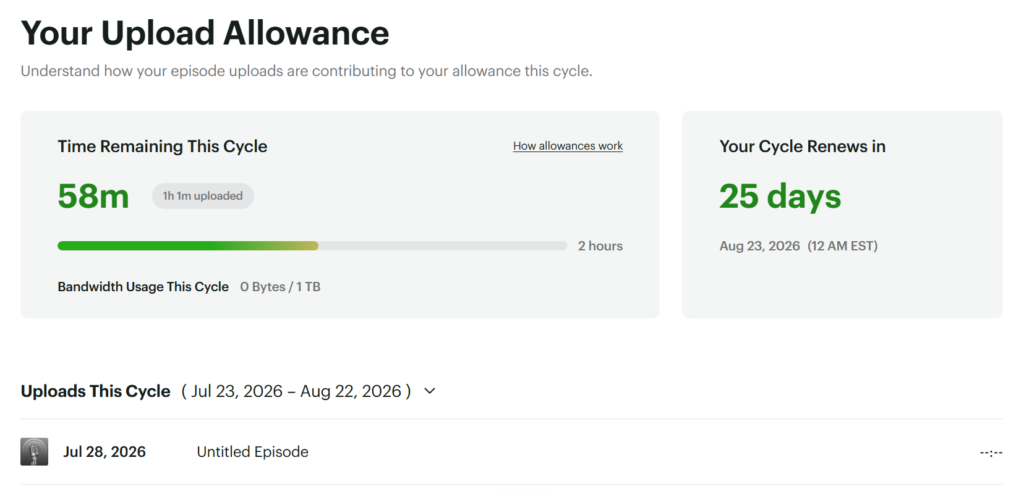
Libsyn is the outlier, and it catches people who move over from a host that counts episodes. There is no cap on any single file and no cap on total storage. Instead, you buy a monthly upload allowance measured in megabytes, and it resets on the first, and old episodes stay online forever without eating into it.
So your bitrate decides your publishing schedule. Spoken word MP3 runs roughly 0.5 to 1 MB per minute, which means the entry allowance of 162 MB covers a weekly show with room to spare, and stops dead if you decide to publish twice a week at a higher bitrate.
Nobody explains that at signup. You find out on the week you try to ship a bonus episode. Libsyn pricing breaks down what each tier’s allowance actually buys, and Libsyn alternatives cover where people go when the monthly ceiling stops fitting.
How big is your episode, really?
Work it out before you go shopping for a host with a bigger number. The arithmetic is simple and it settles the question fast.
An MP3 at 96 kbps mono, which is the standard for talk, runs about 0.7 MB per minute. A 45-minute episode lands near 31 MB. At 128 kbps stereo, you are at roughly 0.96 MB per minute, so the same episode is about 43 MB.
Now compare those to the table. A 43 MB file clears every limit on this page, including Acast’s. You would need a two-hour stereo episode before Acast even became a conversation, and something close to five hours before Transistor’s recommended 200 MB started to pinch.
Uncompressed audio is where it falls apart. A 16-bit stereo WAV at 44.1 kHz is about 10.6 MB per minute, so a 45-minute recording is roughly 476 MB. That single file breaks Acast, breaks the Castos plugin route, and blows through what Transistor recommends. Can you upload a WAV file to a podcast host to see which hosts will even accept it?
Your upload failed. Is the file size the problem?
Probably not, unless you uploaded a WAV. Work through it in this order.
- Check the actual file size against the table above. If you are under the cap, size is not your issue.
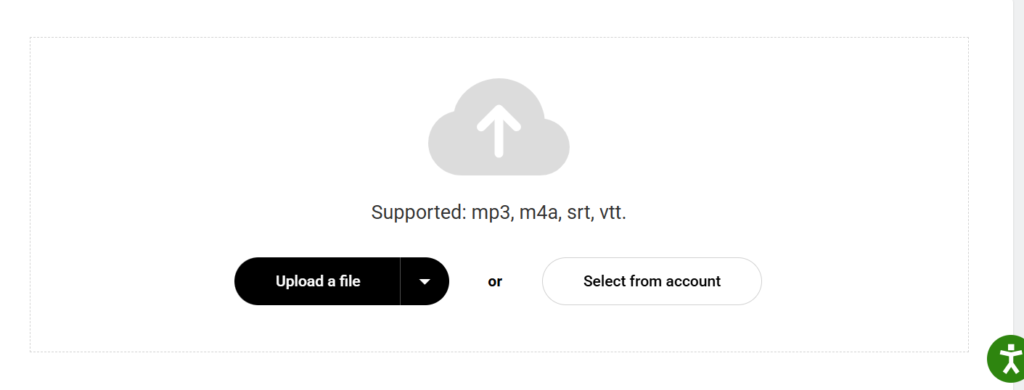
- Check the format. Castos, Acast, and Podbean’s free plan take MP3 and M4A only, so a rejected WAV or FLAC looks like a size failure but is not one.
- If you are pushing episodes through WordPress with the Castos plugin, the 200 MB API limit is only half of it. Your own server or WordPress install may cap uploads anywhere from 4 MB to 128 MB, and that is the wall you are actually hitting.
- On Spotify for Creators, where no size limit exists, a stalled upload is usually a dropped connection rather than a rejection. Try again on a wired connection before you re-export anything.
- Still failing? Re-export as a 96 kbps mono MP3 at 44.1 kHz and try once more. If that works, the original file was malformed, not oversized.
If the episode uploaded fine but never appeared in the apps, that is a different problem. Podcast not showing in Apple Podcasts or Spotify covers it, and podcast feed rejected by Apple handles the validation side.
Which host should you pick if file size actually matters to you?
Be honest about whether it does. For a normal talk show it does not, and picking a host on upload ceiling is picking on the least important spec on the sheet.
If you do produce long or high-bitrate episodes, live recordings, concert sets, multi-hour panels, Buzzsprout has the most headroom at 5 GB and will never make you think about it. The downside is the one covered in does your podcast host re-encode your audio: Buzzsprout converts to 96k mono by default, so the file you fought to keep large gets compressed on the way out unless you pay for the Mostly Music setting.
For everyone else, Transistor is the better default. Its 2000 MB cap is more than any sane episode needs, it takes source files other hosts reject, and it leaves a finished MP3 untouched. It costs $19 a month with no free tier, which is the real tradeoff.
Captivate belongs in the conversation too, though the missing published limit counts against it. Every other host on this page will tell you the ceiling before you sign up.
Still deciding? Start with how to choose a podcast host, or compare the entry tiers at cheapest podcast hosting.






