
Does Your Podcast Host Re-Encode Your Audio File?
This post contains affiliate links, and we may earn a commission if you sign up through them, at no cost to you. See our Affiliate Disclosure. Host specs verified August 2026.
Some hosts rewrite your audio on the way in. Buzzsprout re-encodes to 96k mono by default. Transistor, Captivate, and Castos leave a properly made MP3 exactly as you uploaded it. If your show carries music, that one difference should pick your host for you.
Almost nobody checks this before signing up. You export at 192 kbps stereo, upload, and assume that is what lands in the app. On several of the hosts below it is not, and no one sends you an email about it.
Which podcast hosts re-encode your audio, and which leave it alone?
Three of the six hosts here change your file by default. Buzzsprout and RSS.com re-encode everything to a house standard. Acast processes uploads to a fixed bitrate. Transistor, Captivate, and Castos all state in their own docs that they do not alter what you upload, though every one of them will convert a non-MP3 file, because the podcast apps need MP3 at the other end. Here is what each does, taken from the host’s own documentation as of August 2026.
| Host | What happens to your upload |
|---|---|
| Buzzsprout | Re-encodes to 96k mono by default. An MP3 already at 96k or lower, mono, passes through unchanged. |
| Transistor | MP3 goes through untouched. AAC, M4A, WAV, MP4, and MOV are converted to MP3. |
| Captivate | Does not modify your file. Converts M4A and MP4 uploads to MP3. |
| Castos | Does not change the metadata, bitrate, or file format. |
| RSS.com | Encodes every episode to 128 kbps, 44.1 kHz, stereo. |
| Acast | Processes uploads to 128 kbps. Takes MP3 and M4A only. |
What does Buzzsprout’s automatic optimization actually do?
Buzzsprout converts uploads to 96k mono and calls it the industry best practice for spoken word, which for a single-mic interview show is a fair claim. Mono at 96k is roughly half the size of the same recording in stereo, so downloads finish faster and eat less of a listener’s phone.
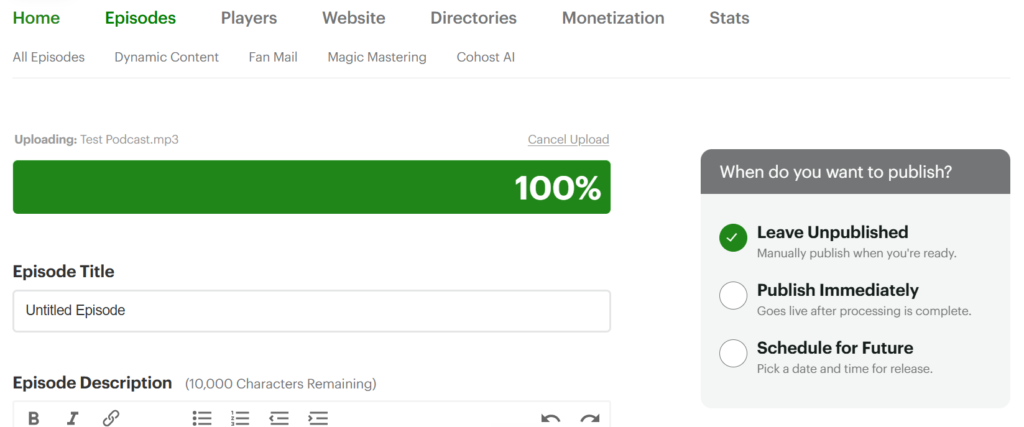
The escape hatch is narrow but real. Upload an MP3 already encoded at 96k or lower in mono and Buzzsprout will not re-encode it. To publish in stereo you turn on Magic Mastering and choose the Mostly Music setting, which puts out 192k stereo for a small add-on fee.
That is the honest catch. Stereo is not a checkbox on the free side of the product, it is a paid add-on, and the mono default applies whether or not your show is talk. For most first-time podcasters that default is doing them a favor. For anyone scoring segments with music, it is a monthly bill.
Why does the encode matter if listeners cannot hear it?
For a one-microphone talk show, mostly it does not, and pretending otherwise would be dishonest. 96k mono is fine for a voice.
It starts to matter in three places. Music collapses first. Anything you panned, any stereo bed under a cold open, any field recording with room in it, folds to a single channel and the width is gone for good. Second, you lose the last say on your own master. If you already mixed to about -16 LKFS with a true peak under -1 dBFS, which is what Apple asks for, a re-encode moves that target without asking you. Third is the one people notice late: your file size is no longer yours to control, which matters more than it sounds if your host charges by the megabyte.
Apple’s own guidance for feed audio is 64 to 128 kbps for mono and 128 to 256 kbps for stereo, at 44.1 or 48 kHz. A host that normalizes everything to 96k mono is sitting at the floor of that range on purpose.
What should you export so no host has to touch it?
Export MP3 at 44.1 kHz and you have removed most of the problem before it starts. For a talk show, 96 kbps mono. For anything with music or a real stereo image, 128 kbps stereo at minimum.
Those two settings land inside Apple’s recommended band, match what Captivate and RSS.com recommend, and sit right on Transistor’s suggested 44100 Hz at around 128 kb/s. Upload that and Transistor, Captivate, and Castos will pass it straight through. Buzzsprout will still re-encode the stereo version, which is exactly the point of the table above.
If you want the longer version of why MP3 and why those numbers, podcast audio quality explained covers the export settings themselves rather than what the host does afterward.
Which host should you choose if you care about the encode?
Transistor and Captivate are the two that get out of the way. Both take your MP3 and ship it. Transistor is the pick if you run more than one show, since every plan hosts unlimited shows, and its docs are blunt about wanting files under 200 MB even though the hard cap is 2000 MB. Captivate is the pick if you want the marketing and audience tools bolted on, and it recommends 96 kbps mono for talk and 128 kbps stereo for music rather than forcing either.
The honest downside on both: neither has a free tier, so you are paying from day one, and Captivate does not publish a maximum file size anywhere in its help docs, which is a small annoyance if you produce long episodes and want to know the ceiling before you hit it.
Buzzsprout is still the easiest host to start on and the one I would hand a beginner. Just know what you are agreeing to. If your show is you and a microphone, its default is the right call. If your show has music in it, budget for Magic Mastering or host somewhere else.
Compare the money side at Transistor pricing, Captivate pricing, and Buzzsprout pricing. If you are still choosing a host at all, start with how to choose a podcast host.
Does converting a WAV to MP3 count as re-encoding?
Yes, and it is unavoidable. Podcast apps do not take WAV in a feed, so any host that accepts one has to convert it, which means the host picks the bitrate, the channel count, and the sample rate on your behalf.
The difference is who decides. Upload a finished MP3 and you made those calls in your editor. Upload a WAV and you handed them to whichever host you happened to sign up for. That is the whole argument for exporting MP3 yourself, and it is covered in more detail in can you upload a WAV file to a podcast host.






