
Podcast Audio Quality: File Formats and Bitrate Explained
Last updated: September 2026
The Long and the Short of it: Export your podcast audio as an MP3 at 128 kbps for a voice show in stereo or 64 to 96 kbps in mono, and you have hit the standard nearly every host and app expects.
That keeps files small enough to download fast and clean enough to sound professional. The rest of audio quality is about recording correctly in the first place, not chasing exotic formats and playing around in post-production. Here is what each setting actually does.
What audio format should a podcast be?
MP3, in almost every case. It is the universal podcast format. Every app and host supports it, it compresses well, and it carries the ID3 tags (title, artwork, chapters) that apps read. Unless you have a specific reason not to, export MP3 and move on.
The alternatives have narrow uses. WAV is uncompressed, which means pristine audio and enormous files, so it is what you record and edit in, not what you publish. Nobody wants to download a 400 MB episode, and half the major hosts will not even accept the file, which is covered in can you upload a WAV file to a podcast host. AAC or M4A can sound slightly better than MP3 at the same size and is common in some video and Apple contexts, but support across the podcast ecosystem is not as bulletproof as MP3, so it is a considered choice rather than a default.
The clean workflow: record and edit in a lossless format like WAV so you are working with the best possible source, then export the finished episode to MP3 for publishing. Your host stores that MP3 and serves it to listeners.
What bitrate should you export a podcast at?
Bitrate is how much data per second the file uses, measured in kbps, and it is the main dial between quality and file size. Higher bitrate means better sound and bigger files. The goal is the lowest bitrate that still sounds clean, because smaller files download faster and cost you less bandwidth.
For spoken-word podcasts, the well-worn settings are: 96 to 128 kbps in stereo, or 64 to 96 kbps in mono. Voice does not need more than that, and pushing to 320 kbps just bloats the file with data listeners cannot hear on the earbuds and car speakers they actually use. If your show is music-heavy, then higher stereo bitrates earn their size, but for two people talking, 128 kbps stereo is already generous.
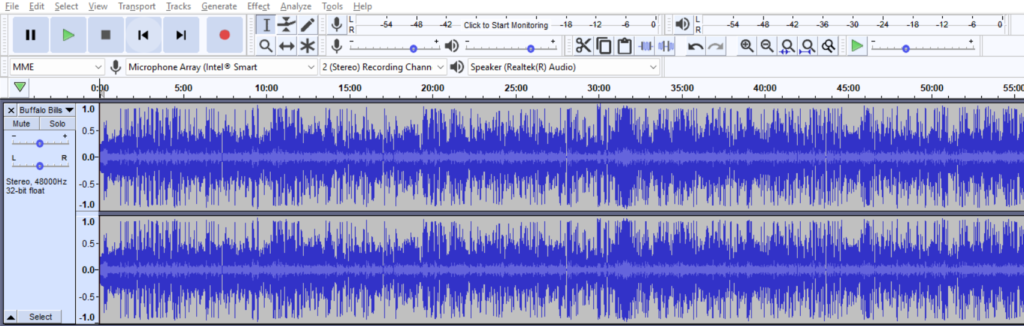
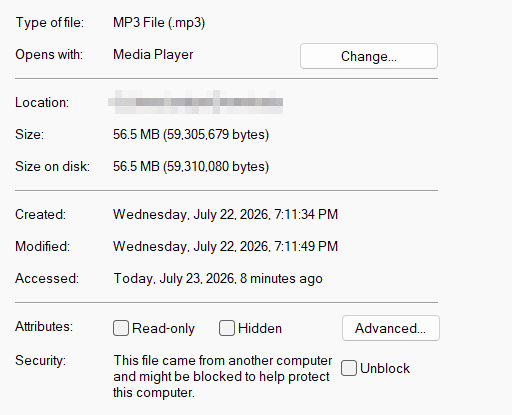
The practical takeaway: a typical 30-minute voice episode at these settings lands somewhere around 25 to 40 MB, which downloads fast anywhere. Do not overthink it. Set a sensible bitrate once in your export preset and stop touching it. Worth knowing that some hosts re-encode your file regardless of what you set, which is compared host by host in does your podcast host re-encode your audio. Buzzsprout, the host many beginners start on, converts uploads to 96k mono by default, and our Buzzsprout review covers what else its plans do and do not include. What people hear as “bad audio quality” is almost never the bitrate. It is the room and the mic, which we get to below.
Should a podcast audio be mono or stereo?
For most voice podcasts, mono is the smart default, and this surprises people. Mono uses one audio channel. Stereo uses two. A single person talking, or even two voices mixed to the center, gains nothing from stereo, so mono cuts your file size roughly in half at the same perceived quality. Smaller files, same sound.
Stereo earns its place when the spatial image matters: music, immersive sound design, or a produced narrative show that pans voices and effects across the field. If that is your show, use stereo. If it is a talk show, an interview, or a solo monologue, mono is the efficient, honest choice, and no listener will notice a downgrade because there is not one.
None of this fixes the thing people actually mean by “quality,” though. Bitrate, format, and channels are the export settings. The sound itself is made at the source: a decent microphone close to your mouth, a quiet room without hard echo, and consistent levels. Get those right and a modest bitrate sounds great. Get them wrong, and no export setting rescues it. A decent USB mic runs $50 to $100, and it is the single line worth paying for in the cost of starting a podcast.
FAQ
What format should I upload my podcast in? MP3. It is supported everywhere, compresses well, and carries the tags apps read. Record and edit in WAV, then export the final episode to MP3 for publishing.
What bitrate is best for a podcast? For voice, 96 to 128 kbps in stereo or 64 to 96 kbps in mono. That sounds clean while keeping files small. Higher bitrates mainly help music-heavy shows.
Should my podcast be mono or stereo? Mono for talk shows, interviews, and solo episodes, since it halves file size with no audible loss. Stereo only if music or spatial sound design is central to the show.
Why does my podcast sound bad even at high bitrate? Because quality is made when you record, not when you export. A cheap mic, a room with echo, or inconsistent levels will sound rough at any bitrate. Fix the source first.






