Best AI Show Notes Generator for Podcasters (2026)
Last updated: September 2026
This post contains affiliate links, and we may earn a commission if you sign up through them, at no cost to you. See our Affiliate Disclosure. Pricing as of September 2026.
The best AI show notes generator for most podcasters is Castmagic, which turns one audio file into notes, chapters, titles, and a stack of social posts in a single pass. Podsqueeze is the budget pick at $8.99 a month. If the notes are covered and what you need is short video clips, quso.ai is the add-on, and we ranked it against the rest in our guide to the best tool to turn a podcast into clips. None of them beats a real editor, and that gap is the whole point of this piece.
Key takeaways
- Castmagic is the best all-round AI show notes generator, with its Hobby plan at $19 a month billed annually or $29 month-to-month for 30 transcribed hours.
- Castmagic has no free plan, but it processes one episode before you pay and unlocks the drafts with a 7-day trial for $1.
- Podsqueeze is the cheapest full AI show notes tool at $8.99 a month for 120 minutes of processing, and you can try it free without a credit card.
- quso.ai turns podcast episodes into short vertical clips but does not write show notes.
- AI-written show notes still need about ten minutes of human editing to fix names, remove invented details, and sharpen titles.
- Buzzsprout’s Cohost AI and Podbean’s AI Content Assistant both draft episode descriptions and chapter markers, so hosts on those platforms should try them before paying for a separate tool.
What does an AI show notes generator do?
You upload an episode, it transcribes the audio, and then it writes the stuff you would otherwise write by hand: a show notes description, timestamped chapters, a few title options, an episode summary, and social captions for the platforms you post to. Some also cut short video clips from the recording. The pitch is that a 60-minute edit-and-publish chore collapses into a few minutes of review.
That is the pitch. The reality is that these tools are fast drafters, not finishers. They mishear names, invent the odd statistic, and default to a flat, keyword-stuffed voice if you let them. Apple’s own podcast content guidelines reward accurate, human-readable descriptions, and raw AI output often is not there yet. Treat the result as a first draft you edit, and it saves real time. Publish it untouched and it reads like every other AI-slop feed.
Which AI show notes generator is best overall?
Castmagic is the best all-rounder because it produces the widest range of usable outputs from a single upload and its entry plan gives you a genuinely large amount of transcription. The Hobby plan is $19 a month billed annually, or $239 for the year, and $29 if you pay month to month. Either way it includes 30 transcribed hours, and Castmagic sells more hours when you run out.
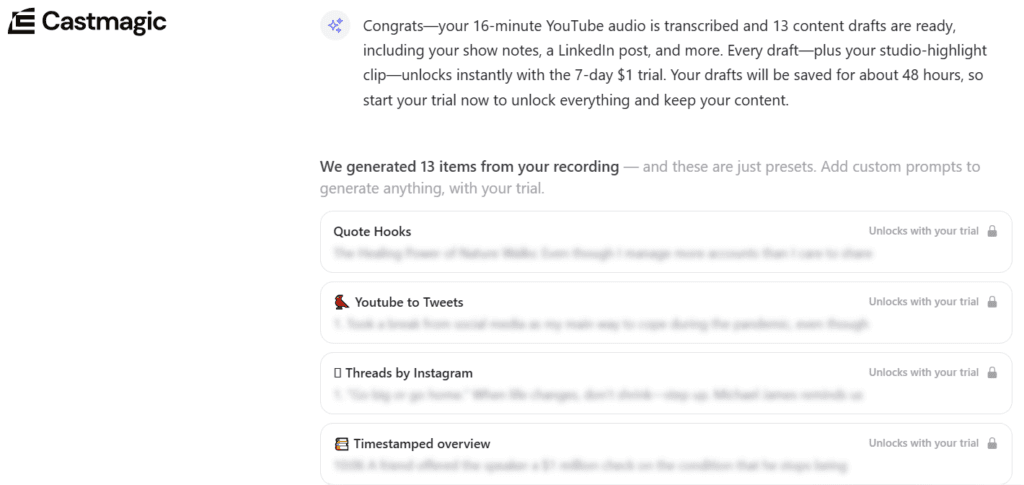
Castmagic’s pricing page describes those 30 hours as a library you build up over time, not a monthly allowance, so check how far they stretch before you commit. The output menu is the deepest here: show notes, chapters, titles, summaries, and a long list of social formats you can regenerate with your own prompts. The honest downside is billing. That $19 only applies if you pay for the year up front. The next tier, Starter, is $48 a month billed annually or $69 monthly for 100 hours, which is a big step if you outgrow Hobby. The interface also throws a lot at you at once, and the first hour is a learning curve, not a magic button.
Castmagic’s pricing page lists no free plan, but signing up lets you run one episode before you pay. It transcribed my 16-minute test video and drafted 13 pieces, then locked them behind a 7-day trial for $1. That screen does not say what the trial turns into, so check the plan and price before you enter a card.
What is the best budget AI show notes generator?
Podsqueeze, at $8.99 a month on the Starter plan, is the cheapest real option that still covers the full job. That gets you 120 minutes of podcast processing a month, eight video clips or audiograms, and unused minutes that roll over up to three times your monthly allowance if you stay on the plan.
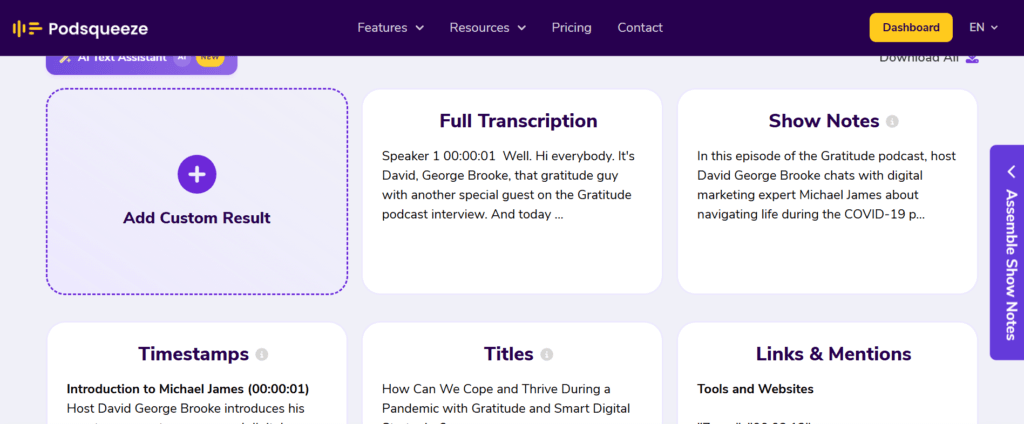
For a show that publishes two or three shorter episodes a month, that entry tier is honestly enough, and the rollover is a thoughtful touch most rivals skip. The catch is the ceiling.
120 minutes is roughly two hours of audio, so a single long interview show can burn the month in one upload, and the jump to the Pro plan at $49 a month for 320 minutes is steep next to that $8.99 starting point. Output quality is solid rather than best-in-class, and you will still edit the chapters. You can test it before paying, too, since Podsqueeze lets you generate for free with no credit card. As a place to start without a real bill, nothing here beats it. Try Podsqueeze free.
What is the best AI tool for turning an episode into short video clips?
quso.ai is the pick if your notes are handled and the gap is short-form video. It is not a show notes writer. Its job is cutting a long recording into captioned clips, reframing them for vertical, and scheduling them out. The Lite plan is $29 a month, or $19 a month billed yearly, and the yearly option doubles your credits from 100 to 200 a month. One credit is roughly one minute of processed video.
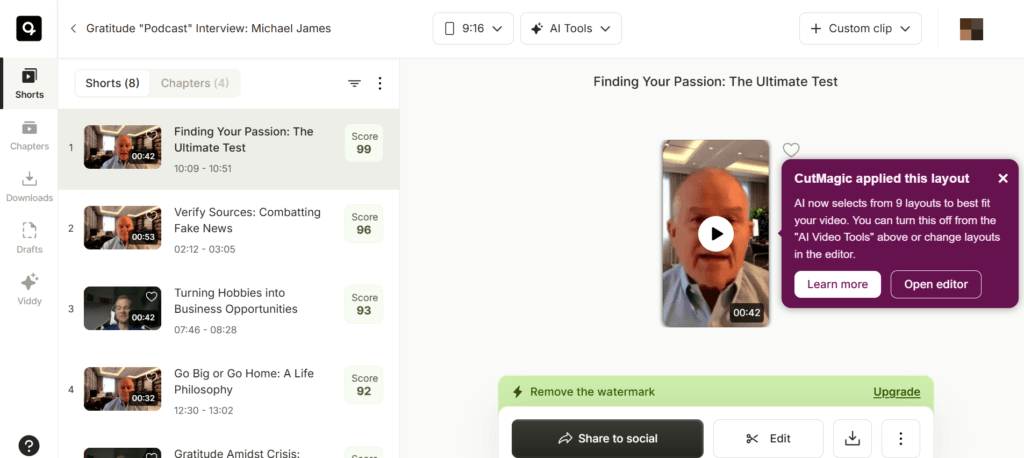
Lite adds unlimited 1080p clips, exports in 16:9, 9:16, and 1:1, and publishing and scheduling to six platforms. There is also a free plan with 75 credits a month, 720p renders, and TikTok publishing only, which is enough to see whether its clip picks match yours. On the free plan, clips carry a watermark and the transcript panel is locked behind an upgrade to the Growth plan. The downside is the credit math. A 60-minute video episode eats most of a monthly Lite allowance in one go, so a weekly show lands on a higher tier or the yearly bill. Pair it with Castmagic or Podsqueeze rather than expecting it to write your notes. Try quso.ai free.
What happened to Capsho?
Capsho no longer sells the monthly show notes app it was known for. The company says on its own site that it sunset its original podcast tool. What it sells now is CapshoHQ, a one-time $379 purchase that installs into Claude Code and runs on your own computer, with a 30-day refund. Its podcast side covers episode notes, chapters, clips with timestamps, social posts, and a newsletter angle, alongside unrelated jobs like building websites and apps.
The catch is that you also need Claude Code running, which is a separate subscription you pay Anthropic for. That makes it a fit for someone already using Claude Code, not a drop-in replacement for an upload-and-go web tool. If you were searching for the old Capsho, one of the three tools above is the closer match. See CapshoHQ.
How do the top AI show notes generators compare?
Here are the three ranked on entry price and what that first plan gives you, with every price checked against the vendor’s live pricing page in September 2026.
| Tool | Entry plan | Price/mo | What the entry plan includes | Try it free | Best for |
|---|---|---|---|---|---|
| Podsqueeze | Starter | $8.99 (monthly) | 120 min/mo, 8 clips or audiograms, minutes roll over | Free generation, no card required | Cheapest real start |
| quso.ai | Lite | $29 monthly, or $19 billed yearly | 100 credits/mo (200 on yearly), 1080p clips, 6 platforms | Free plan, 75 credits/mo | Short video clips |
| Castmagic | Hobby | $29 monthly, or $19 billed yearly | 30 transcribed hrs/mo, full output menu | One free episode, then a 7-day $1 trial | Best all-rounder |
Two things to read off that table. Podsqueeze’s $8.99 is the month-to-month price, and both Podsqueeze and Castmagic advertise 30 percent off for paying annually. And quso.ai is not competing with the other two on show notes at all. It is the clip half of the job, which is a different purchase.
Why does a real editor still beat any of these?
Because AI transcription still guesses, and the show notes inherit every guess. The most common failures I see are mangled proper nouns (a guest’s name spelled three ways), invented specifics (a stat or a date that was never said), and chapter titles that are technically accurate and completely lifeless. On a name-heavy interview show, the error rate climbs fast.
So the workflow that works is human-in-the-loop. Let the tool draft the notes, chapters, titles, and captions in one pass, then spend ten minutes fixing names, cutting the one hallucinated line, and rewriting the flattest title into something a person would click. That ten-minute edit is the difference between content that ranks and content Google files under spam. The tool buys back the hour of drafting. It does not buy back your judgment, and the sites that pretend it does are the ones getting demoted.
Which AI show notes generator should you buy?
Get Castmagic if you want one tool that does the whole job well and you will use it every week. Start with Castmagic. The downside to plan around: the good price is the annual rate, and the tier above Hobby is a real jump.
Get Podsqueeze if you are cost-conscious or just testing whether AI notes fit your workflow at all. Try Podsqueeze. Its ceiling is low, so a long weekly show will outgrow the $8.99 plan and face the $49 Pro jump.
Add quso.ai if you record on video and want clips out of every episode without cutting them by hand. Code PHL20 takes 20 percent off your first payment on any paid plan, monthly or yearly, through December 31, 2026. See quso.ai. Budget for the credits, because long episodes drain them quickly, and do not expect it to write your notes.
And if the gap is a voice rather than words, for intros, ad reads, or patching a flubbed line, our best AI voice generator for podcasters guide covers Murf, ElevenLabs, and Descript.
Podium is worth a look too, especially for its output quality, but its site has been unreachable on every check I have made, so confirm it is still trading and price it yourself before you commit. Whichever you pick, budget the ten-minute human edit. That habit is what separates a show that grows from a feed of forgettable auto-generated notes.
For where these tools fit in a full setup, see how to choose a podcast host, and if you record remotely, Riverside vs Descript pairs with any of them.
Do you need a standalone tool if your host already has AI?
If you host on Buzzsprout or Podbean, try the built-in AI before you pay for a second subscription. Buzzsprout’s Cohost AI drafts titles, a description, chapter markers, a blog post, three social posts, and a transcript from one upload, and Podbean’s AI Content Assistant handles titles, show notes, transcripts, and chapter markers, per Podbean’s own rundown. For plenty of shows, that is the whole job done inside a dashboard you already pay for.
Where a dedicated tool still earns its keep is depth and range. Castmagic and Podsqueeze spin out far more social formats than a host add-on bothers with, and Podsqueeze says it writes them in your own voice. If short video is part of the plan, quso.ai handles that side. So the honest split: if you need clean notes, chapters, and a couple of posts, the built-in AI is probably enough. If turning every episode into a stack of platform-specific content is the point, the standalone tool pays for itself. Do not stack both out of habit.
FAQ
What is the best AI show notes generator in 2026? Castmagic is the best all-rounder for most podcasters, producing notes, chapters, titles, and social posts from one upload, with 30 transcribed hours on its Hobby plan ($19 a month billed yearly, or $29 monthly). Podsqueeze wins on price at $8.99 a month.
Are AI-generated show notes good enough to publish as-is? No. They are a strong first draft, but they mishear names, occasionally invent details, and default to a flat voice. Budget ten minutes to fix errors and rewrite the weakest title before publishing, or the output reads as generic AI filler.
Is there a free AI show notes generator? Not a good permanent one. Podsqueeze lets you generate for free with no credit card, which is enough to judge the output, and its $8.99 Starter plan is the cheapest ongoing option after that. quso.ai has a free plan, but it makes clips, not notes. Castmagic has no free plan, but it will process one episode before you pay and unlock the results with a 7-day trial for $1.
Is Capsho still a show notes tool? Not in the old form. Capsho sunset its original podcast app and now sells CapshoHQ, a one-time $379 purchase that runs inside Claude Code, which you need separately.
Can these tools make video clips too? Yes. Podsqueeze includes eight clips or audiograms a month on its entry plan, Castmagic includes Studio clipping on every plan, and quso.ai is built for clips first. Clip auto-selection is hit or miss, so expect to re-crop the ones you post.