Transistor Review 2026: Is It Worth It for Your Podcast?
This post contains affiliate links, and we may earn a commission if you sign up through them, at no cost to you. See our Affiliate Disclosure. Pricing as of September 2026.
Transistor is worth it if you run more than one show, a private feed, or a podcast for a business. Every plan hosts unlimited podcasts, so the second show costs nothing. It is the wrong buy for a single hobby show that wants a free plan, or for a small show that wants dynamic ads cheaply, since those start on the $49 tier.
Key takeaways
- Transistor hosts unlimited podcasts and unlimited team members on every plan, starting with the $19-a-month Starter plan.
- Transistor meters monthly downloads rather than upload hours, and its pricing page says there is no automatic shut-off when a show goes over.
- Transistor’s dynamic ads and YouTube auto-posting both require the $49-a-month Professional plan or higher.
- Transistor’s Starter plan allows 50 private podcast subscribers, shared across every private show on the account.
- Transistor says its stats follow IAB guidelines but that it does not pay for the annual IAB certification.
- A Transistor 301 redirect stays in place for free even after you cancel, which makes leaving the host clean.
Is Transistor a good podcast host?
Yes, and it is the one I point people to the moment a second show enters the conversation. Transistor stores your audio, builds the RSS feed, and gives each show its own feed, website, and analytics page. Every host does that much. Transistor differs on price: plans are priced on downloads, and the number of shows never changes as you go up.
That makes it a strong fit for three kinds of buyer. Creators with a main show plus a side project. Businesses and agencies running a company show, a client show, and an internal feed from one login. And anyone who needs private podcasting, which Transistor includes on every plan. A first-timer with one show and no budget is the person it fits least.
What is it like to set up a show on Transistor?
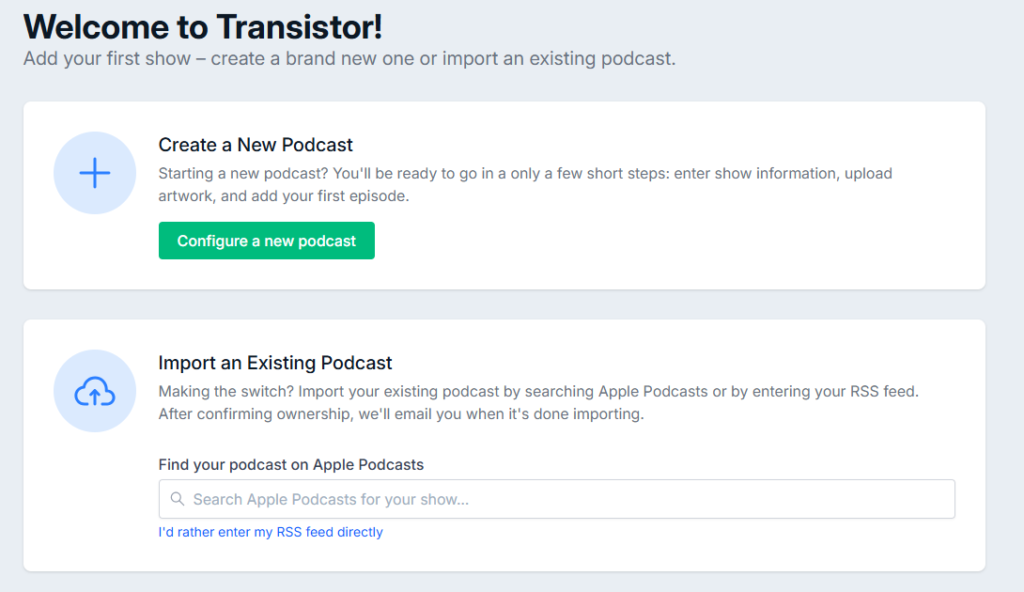
Quick. After signup, the welcome screen gives you two paths: create a new podcast, or import an existing one by searching Apple Podcasts or pasting your RSS feed. A new show needs a title, a description, and artwork, and the form says you can come back later to finish the rest. Artwork can be JPG, PNG, or WEBP up to 15MB, with 3000 by 3000 pixels recommended.
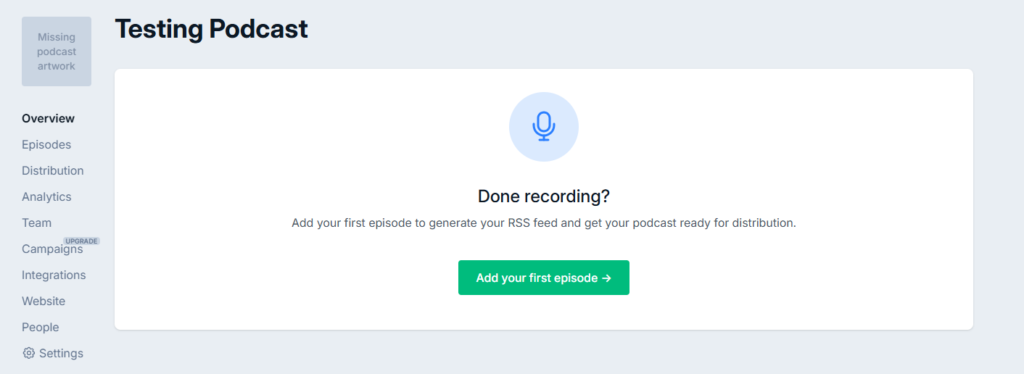
Once the show exists, everything lives in one left-hand menu: Overview, Episodes, Distribution, Analytics, Team, Campaigns, Integrations, Website, People, and Settings. On my Starter test account, Campaigns carries an Upgrade badge, which is your first hint of where the plan lines fall. The dashboard is plain and calm. You will not need a tutorial to find anything.
How do unlimited shows and the download limits work?
Shows are free to add. Downloads are what you pay for. Starter covers 20,000 downloads a month, Professional 100,000, and Business 250,000, and every tier lists “Unlimited podcasts” on Transistor’s pricing page. The same page says there is no cap on episodes and no storage limit, with individual audio files up to 1,000MB.
The allowance belongs to the plan, not to each show. Five small podcasts on Starter share one 20,000-download month, so a network climbs the tiers on combined traffic even though the shows cost nothing. That is the catch to plan around.
Going over is handled gently. Transistor’s pricing FAQ says that if you are consistently over your limit it will reach out and ask you to upgrade, and that there is “no automatic shut off,” so listeners keep getting episodes. The plan-by-plan numbers, the yearly discount, and the Enterprise tier are all in Transistor pricing explained, so I will not repeat the whole ladder here.
Are Transistor’s analytics any good?
They cover what most shows need, on every plan. Transistor’s analytics page lists average downloads per episode at 7, 30, 60, and 90 days, an estimated subscriber count, listener trends by year, month, or day, a per-episode breakdown, the apps and devices people use, and a country map with state or province detail for the US, Canada, and Australia. Episode stats export to CSV.
There is a footnote on certification. Transistor’s help center says its stats are compliant with IAB guidelines, but that it does not pay for the annual IAB certification. Buzzsprout, by contrast, advertises its IAB certification. For most shows it changes nothing. If a sponsor asks for certified numbers by name, it is worth knowing before you sign. More on reading these numbers in how to read your podcast analytics.
How good is Transistor for a private podcast?
Very good, and it is the strongest reason a business picks Transistor. A private show gives every subscriber their own RSS feed, tied to their email address. Per Transistor’s private subscriber guide, each person gets an onboarding email, a notice for every new episode, their own feed for their podcast app, and a web player that tracks their progress. Because every feed is unique, you can see exactly who is listening to which episode.
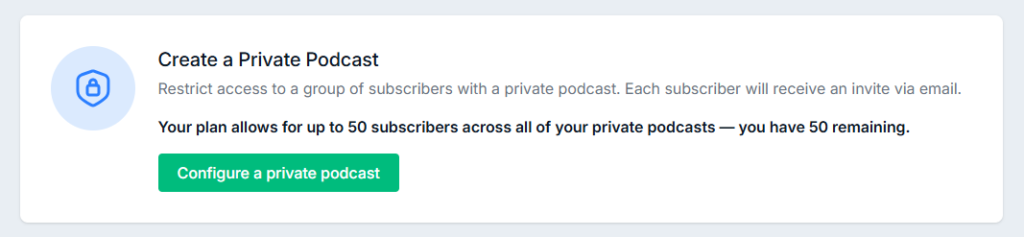
The limit to watch is seats. Starter allows 50 private subscribers, Professional 500, and Business 3,000, and that total is shared across every private show on the account. Transistor counts unique emails, so one person subscribed to three private feeds uses one seat. For paid feeds, Transistor has an official Ghost integration that grants and revokes access with the membership. The full use-case comparison is in the best host for a private or internal podcast.
Does the built-in website hold up?
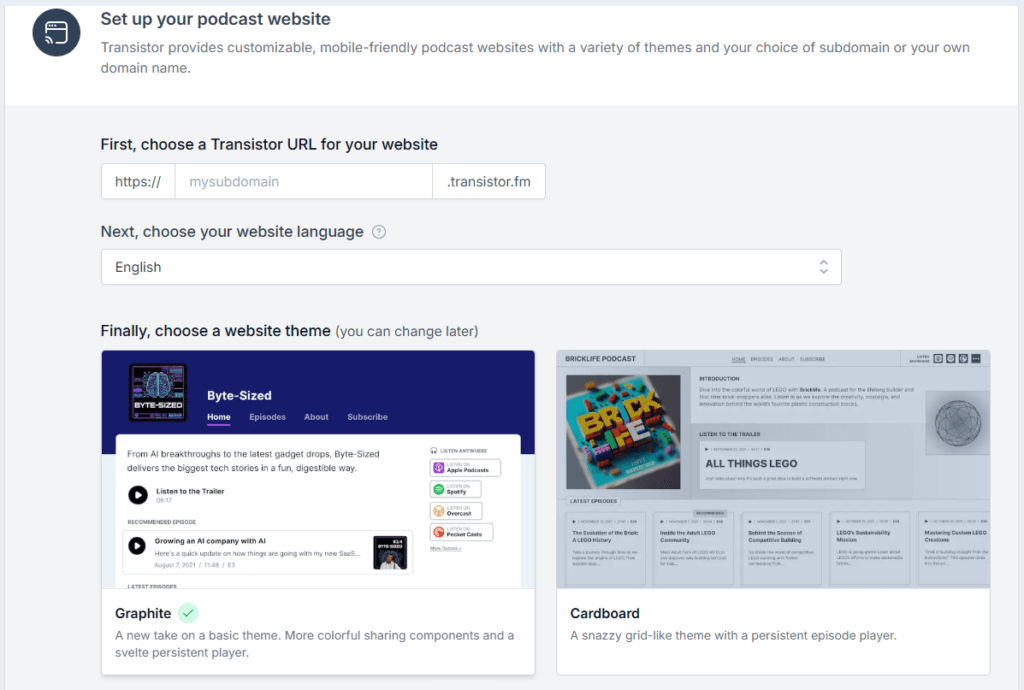
It does, and it comes with every plan. Setup asks for a transistor.fm subdomain, a language, and a theme, and you can switch the theme later. Transistor’s website builder page says you can connect your own domain, the site updates itself each time you publish, and subscribe buttons link to Apple Podcasts, Spotify, Amazon Music, Overcast, and others. Every plan also includes a separate network website, which is handy if you run a family of shows.
It is a podcast site, not a general website builder. If you want a blog, a shop, and custom pages, you will outgrow it. For a show homepage with episodes and subscribe links, it is enough. We compare it against the other hosts in which podcast hosts include a free website.
Can you add team members?
Yes, as many as you want, on any plan. Team members are added per show from its Team tab, not to the whole account, so a client only sees the show you invite them to. According to Transistor’s team guide, there are four roles. The Owner handles billing and is the only one who can add new shows. Admins can edit settings, manage episodes and team members, and run campaigns. Members can add and edit episodes and view stats but cannot delete episodes. Analytics users can only view and export stats.
How does distribution to Apple, Spotify, and YouTube work?
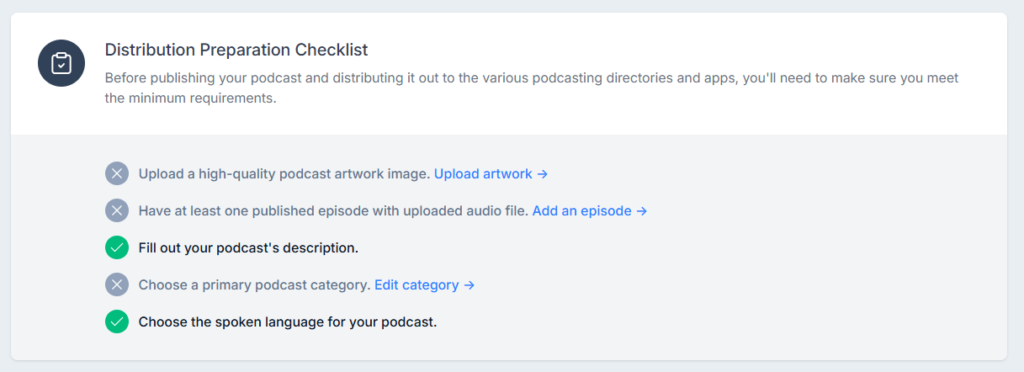
Each show gets its own feed at feeds.transistor.fm, and a Distribution checklist tells you what is missing before you submit: artwork, one published episode with audio, a description, a primary category, and a language. Tick those off before you submit anywhere. The general walkthrough is in how to submit your podcast to Apple, Spotify, and YouTube.
YouTube is where the plans split. Native auto-posting needs Professional or higher. Transistor turns each audio episode into a video over a 1280 by 720 background image you choose, posts it to your channel, and can send the back catalog too. If you run dynamic ads, the YouTube help page says those ads are stripped out before upload. On Starter, the YouTube panel in my account shows the upgrade notice, and you would submit your RSS feed through YouTube yourself instead.
Full video hosting is still in beta. Transistor’s help center says video podcasting is open to Professional plans and up by request, with MP4 or MOV uploads up to 30GB, distributing to YouTube, Apple Podcasts, and Spotify. If you need video on Apple this month, read the best host for video podcasts first.
Can you make money on Transistor?
You can, but Transistor gives you the tools, not the buyers. Dynamic ads arrive on Professional at $49 a month. You build campaigns per show with pre-roll, mid-roll, and post-roll audio, schedule them across past, present, and future episodes, and compare impressions by campaign. Dynamic show notes insert sponsor text and links into every episode description and remove it when the campaign ends.
What I could not find anywhere on Transistor’s pricing or dynamic ads pages is an ad marketplace or a revenue share. Its pricing FAQ puts the stance plainly: you own your content and can run your own ads, start a Patreon, and distribute it however you like. So Transistor suits a show that sells its own sponsors. If you want a host that finds advertisers for you, Libsyn or Buzzsprout Ads fit better, and what dynamic ad insertion actually does explains the mechanics.
How hard is it to move a podcast to Transistor, or off it?
Moving in is an RSS import. Paste your old feed or find the show on Apple Podcasts, confirm ownership through the verification email sent to the address in your feed, and Transistor emails you when the episodes are in. Then you update the feed in Apple Podcasts Connect and Spotify and set a 301 redirect at the old host. Transistor’s own import guide says to wait two weeks before deleting the old account, and warns that your old stats do not come with you.
Leaving is just as clean, which is a good sign in any host. Your show’s Settings tab has a Permanent Redirect (301) field. Paste in the new host’s feed, save, and Transistor says the redirect stays in place permanently and free of charge, even after you cancel. The full step-by-step, including the GUID checks that stop duplicate episodes, is in how to switch podcast hosts without losing subscribers.
What is Transistor’s support like?
Human, and quick by its own account. Transistor offers live chat and email, and its help center says support runs 7 days a week across a wide range of time zones, with every question answered the same day and most replies in under an hour. There is no sales team, but it does book demo calls for Enterprise buyers. The help center is well organized, with separate sections for importing, redirecting, private podcasting, campaigns, and video.
What are the downsides of Transistor?
The big one is the $49 jump. Dynamic ads, dynamic show notes, and YouTube auto-posting all sit on Professional, so a small show that wants any of them pays more than twice the Starter price. Captivate puts ad insertion on its cheapest plan, which is the main reason people leave, as covered in Transistor alternatives.
The rest are smaller. No free plan, only a 14-day trial. The 50 private seats on Starter go fast for a company feed. The stats follow the IAB guidelines without carrying the certification. Video hosting is still in beta. Transcription is an add-on, $5 a month for 5 hours or $20 for 20 hours per the pricing page. And downloads pool across all your shows, so one hit show can move the whole account up a tier.
How do you cancel Transistor, and can you get a refund?
Only the account owner can cancel. Go to the account page, scroll to the bottom, click “I’d like to cancel my subscription,” read the confirmation screen, and click “I understand. Cancel my subscription.” Note the date it shows. Per Transistor’s cancellation guide, your shows stay live until the end of the billing period, then the feeds are disabled and the content is queued for deletion. Restoring it later is not guaranteed.
So do three things before you click: export your analytics, export your private subscribers’ emails, and set the 301 redirect if the show is moving. If cost is the problem, Professional, Business, and Enterprise can downgrade at any time, and Starter is the floor.
Transistor’s help center does not publish a general refund policy. Its terms say the free trial converts to a paid plan unless you cancel before it ends, and that European consumers have a 14-day right to withdraw and get a full refund. Everyone else should ask support by chat or email before assuming a refund.
Checked against Transistor’s help center and terms of service, September 2026.
How does Transistor compare with Captivate, Buzzsprout, and Simplecast?
Against Captivate, it is close. Both host unlimited shows. Captivate includes ad insertion on its cheapest plan, while Transistor keeps each show more cleanly separated for a working network, as laid out in Transistor vs Captivate. Against Buzzsprout, Buzzsprout is the easier and cheaper start for one show, and Transistor wins at two, per Transistor vs Buzzsprout. Against Simplecast, which bills per show, Transistor is cheaper from the second podcast on, as Transistor vs Simplecast works out.
Verdict: who should use Transistor?
Get Transistor if you run two or more shows, host a private or internal feed, or manage podcasts for a business or clients. Unlimited shows, unlimited team members, a private feed on every plan, and a redirect that outlives your account make it the most sensible home for a small network. It is also the pick in the best podcast host for multiple shows. Start a free Transistor trial and import a feed during the 14 days.
Skip it if you have one show and want to pay nothing, or if dynamic ads on a small budget are the reason you are shopping. The honest downside is that the features a growing show wants next are all on the $49 tier.
FAQ
Is Transistor worth the money? For two or more shows or a private feed, yes, because one $19 Starter plan covers every show. For one small show with no plans to grow, a cheaper host does the same job.
Does Transistor have a free plan? No. It has a 14-day free trial, and its help center says Starter is the smallest plan.
What happens if I go over my download limit on Transistor? Nothing stops. Transistor says there is no automatic shut-off, and it contacts you about upgrading if you are consistently over.
Are Transistor’s stats IAB certified? No. Transistor says its stats follow IAB guidelines, but it does not pay for the annual certification.
What happens to my podcast if I cancel Transistor? It stays live until the end of your billing period, then the feeds are disabled and the content is queued for deletion. A 301 redirect you set before leaving stays in place for free.