RSS.com vs Buzzsprout: Which Free Plan Is Better? (2026)
This post contains affiliate links, and we may earn a commission if you sign up through them, at no cost to you. See our Affiliate Disclosure. Pricing as of September 2026.
If you want to start free and stay free, pick RSS.com. Its free plan keeps every episode for good, while Buzzsprout’s free plan deletes each one after 90 days. Pick Buzzsprout if you already plan to pay $15 a month and want the easiest dashboard in podcasting.
Each free plan has a catch. Buzzsprout’s shows up on day 90. RSS.com’s shows up the day you try to move your show somewhere else.
Key takeaways
- RSS.com’s free Local & Niche plan hosts one podcast with unlimited episodes and audio, and RSS.com says those episodes are never deleted.
- Buzzsprout’s free plan allows 2 upload hours a month and removes every episode from the feed 90 days after it goes up.
- RSS.com Plus and Buzzsprout Audio both cost $15 a month billed annually, but RSS.com Plus is $19.99 month to month against $18 for Buzzsprout Audio.
- RSS.com’s free-plan help page says it supports standard 301 feed redirects, but on our new free test account the Redirect My Podcast button was greyed out, so check it works before you plan a move.
- RSS.com’s PAID ads open at 10 downloads a month on a paid plan, while the Buzzsprout Ads marketplace needs 1,000 downloads in 30 days.
RSS.com vs Buzzsprout at a glance
Every row here comes from RSS.com’s pricing page, Buzzsprout’s pricing page, and each host’s help center, checked in September 2026.
| RSS.com | Buzzsprout | |
|---|---|---|
| Free plan uploads | Unlimited episodes and audio | 2 upload hours a month |
| Do free episodes expire? | No, never deleted | Yes, removed after 90 days |
| Website on the free plan | Yes | No, paid plans only |
| Money on the free plan | Listener donations and Value for Value | None |
| Cheapest paid plan | Plus, $15/mo annual or $19.99 monthly | Audio, $15/mo annual or $18 monthly |
| What the paid price meters | Nothing on uploads, unlimited episodes and audio | 72 upload hours a year, or 6 a month |
| Second show | Pro, $26/mo annual, up to 10 shows | Multi-Podcast, $30/mo annual, up to 5 audio shows |
| Ad marketplace opens at | 10 downloads a month, paid plan | 1,000 downloads in 30 days, paid plan |
| Video podcasts | Max, $37/mo annual | Audio + Video, $25/mo annual |
| Feed redirect when you leave | Supported, per RSS.com’s free-plan page, but greyed out on our new test account | Built into the downgrade on a paid plan |
What do the two free plans actually give you?
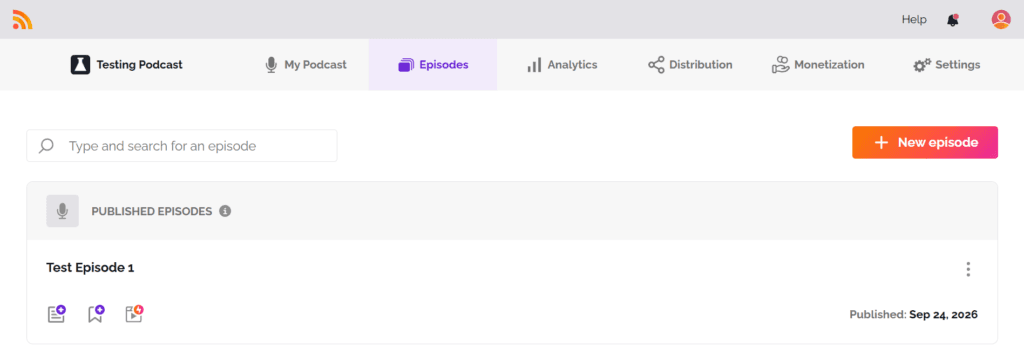
RSS.com gives you somewhere to build a catalog. Buzzsprout gives you a test drive. RSS.com’s free tier, called Local & Niche, covers one podcast with unlimited episodes and unlimited audio, a public RSS feed, a podcast website, an embeddable player, scheduling, analytics, and automatic distribution to the directories. Its free-plan help page says there is no trial and no expiry date, and that your episodes are never deleted.
The limits are small ones. The free player carries RSS.com branding, only the last 30 days of analytics are viewable, and transcripts have to be ones you made yourself. When you publish a second episode you land on the pricing page, which looks like a paywall. It is not. RSS.com’s help center says to select Free there and carry on.
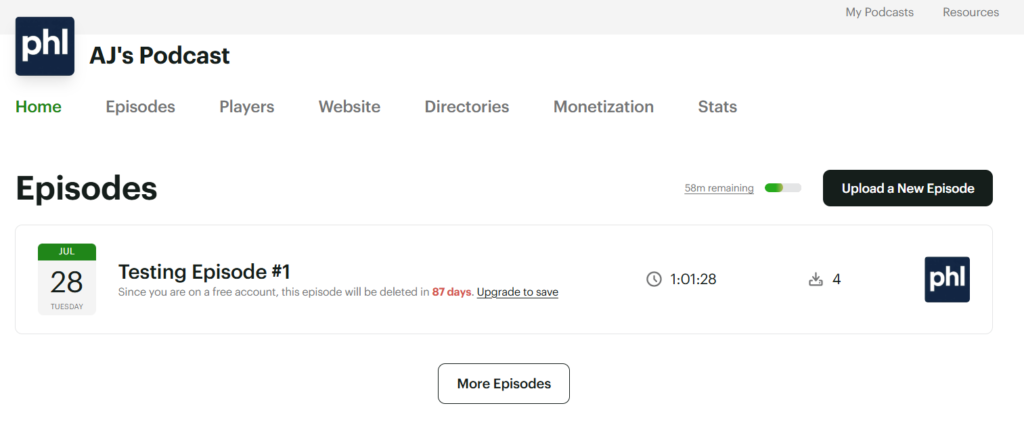
Buzzsprout’s free plan is thinner. You get 2 upload hours a month, stats, Dynamic Content, chapter markers, Visual Soundbites, and embed players, with no credit card. The website, transcripts, and every monetization feature stay on paid plans, per Buzzsprout’s free-plan page. The limit that settles it is the clock. Each episode expires from your account and drops out of your RSS feed 90 days after upload.
What forces you to upgrade on each free plan?
On Buzzsprout, the calendar does. Ninety days after your first upload, that episode is gone from the feed, and a new listener who finds you in month four sees only your last three months. Nobody builds a show that way. The 2-hour monthly cap bites too: two 60-minute episodes and you are done until the next cycle. Buzzsprout calls the free plan a starting point, and in practice it is the on-ramp to the $15 Audio plan.
RSS.com never forces you. You upgrade when you want something the free tier leaves out, and the list is short:
- Ad income or Apple Podcasts Subscriptions, which start on Plus.
- A second podcast, which needs Pro. We confirmed that inside our own free account.
- An unbranded player, AI transcripts, team members, or analytics older than 30 days.
- Moving to another host, which we get to next.
For a hobby show, a local show, or a first season you are not sure you will finish, none of those may ever matter. That is why RSS.com is the free pick in our ranking of the cheapest podcast hosting.
Can you leave each free plan without losing subscribers?
This is where RSS.com’s free plan costs something. Leaving any host cleanly takes two steps: import your feed at the new host, then put a 301 redirect on the old feed so Apple Podcasts, Spotify, and every subscriber follow you. RSS.com keeps that redirect under Settings, in Redirect My Podcast. On our free account the button was greyed out.
RSS.com’s own help pages point both ways. The free-plan page, updated in September, says it supports standard 301 feed redirects, so you can move whenever you want. The redirect article says redirects are not available on free trial accounts or after you cancel, and it suggests leaving the redirect up for 45 to 90 days before you cancel. If the button is greyed out when you are ready to leave, ask RSS.com support before you pay for anything.
Buzzsprout builds the exit into its settings. From a paid plan you open the Redirect tab, confirm, and press Redirect RSS Feed and Downgrade. Your account drops to the free plan when the billing cycle ends. Buzzsprout’s transfer guide asks you to stay active for at least three weeks, then lets you stay on free or cancel. The catch runs the other way: a free Buzzsprout show has nothing older than 90 days in its feed to carry over. The full process is in how to switch podcast hosts without losing subscribers.
What do the paid plans cost on RSS.com and Buzzsprout?
The entry plans tie at $15 a month on annual billing. Month to month, Buzzsprout is cheaper by $1.99. What you get for the money is where they split.
| Plan | Billed annually | Month to month | The limit |
|---|---|---|---|
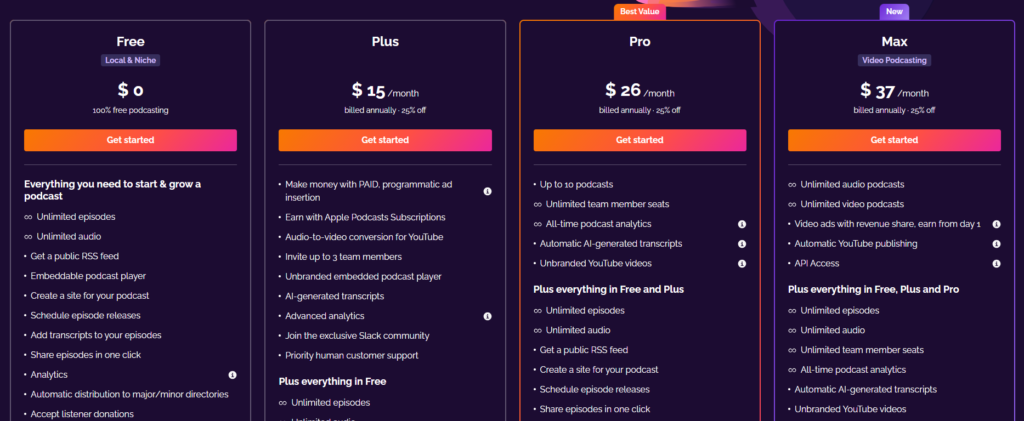
| RSS.com Plus | $15/mo | $19.99 | One show, unlimited episodes and audio |
| RSS.com Pro | $26/mo | $34.99 | Up to 10 shows |
| RSS.com Max | $37/mo | $49.99 | Unlimited audio and video podcasts |
| Buzzsprout Audio | $15/mo | $18 | One show, 72 hours a year or 6 hours a month |
| Buzzsprout Audio + Video | $25/mo | $30 | One show, 72 hours a year or 6 hours a month |
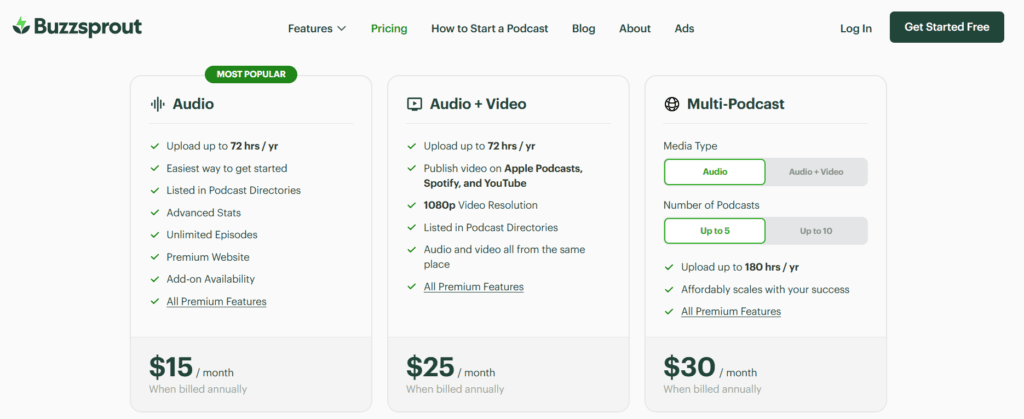
| Buzzsprout Multi-Podcast | $30/mo | $36 | Up to 5 audio shows sharing 180 hours a year |
Buzzsprout meters upload hours, and the rules change with how you pay. Month to month, the $18 Audio plan gives 6 hours, unused hours do not roll over, and extra time is billed at $4 an hour on the next invoice, per Buzzsprout’s overage page. On annual billing you get a 72-hour pool for the year and no overage at all. When the pool runs dry, you move to a bigger annual plan.
RSS.com Plus has no hour meter. A weekly 90-minute interview show uploads about 78 hours a year, which overflows Buzzsprout’s annual pool and costs nothing extra on RSS.com. For a 40-minute weekly show the two cost the same. Buzzsprout’s plan-by-plan detail is in Buzzsprout pricing explained, and current codes for both hosts are on our podcast hosting deals page.
Which one pays you sooner?
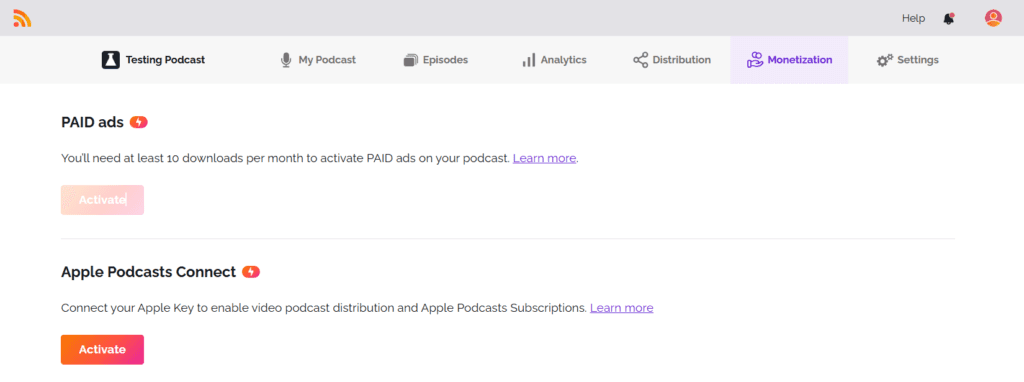
RSS.com, by a wide margin. Its programmatic ad program, PAID, qualifies a show on a paid plan once it reaches 10 downloads in the last 30 days. You keep 70 percent of the ad revenue, paid by PayPal at the end of each month after a 60-day validation period. Ten downloads will not make you rich. It does mean a small show earns something from month one instead of waiting a year.
Buzzsprout’s marketplace, Buzzsprout Ads, opens at 1,000 downloads in any rolling 30-day window. You also need five published episodes of at least 23 minutes and three categories set, per its eligibility page. Most first-year shows never get there.
Buzzsprout does better on money you sell yourself. Subscriptions and Listener Support split 85/15 in your favor, and Dynamic Content drops your own pre-roll, mid-rolls, and post-roll into the whole back catalog. RSS.com Plus adds Apple Podcasts Subscriptions, and its free plan takes donations. How programmatic ads are priced is covered in podcast CPM and ad rates explained.
Which is better for a video podcast?
Buzzsprout, if all you need is to publish video, because it costs less. The Audio + Video plan is $25 a month billed annually or $30 month to month. It publishes 1080p video to Apple Podcasts, Spotify, and YouTube from the same dashboard, inside the same 72-hour yearly pool.
RSS.com’s full video plan is Max, at $37 a month billed annually or $49.99 month to month. For that you get unlimited video podcasts, automatic YouTube publishing, and video ads with a revenue share from the first episode. Plus converts audio episodes into videos for YouTube, but a video-first show belongs on Max. More options are ranked in the best podcast host for video podcasts.
Which should you choose?
You want to start free and see if the show sticks: RSS.com. It is the only one of the two whose free plan can hold a real catalog. Start on RSS.com’s free plan. The downside is the exit. If you move hosts later, check that the redirect button works on your account first, and a second show means jumping to Pro at $26.
You will pay from the start and want the easiest experience: Buzzsprout. The dashboard is the friendliest we have tested, the stats are IAB-certified, and support is fast. See Buzzsprout’s plans. The downside is the hours meter. Long or frequent episodes mean $4-an-hour overage on monthly billing, or a bigger plan on annual. Our full Buzzsprout review covers the rest.
You want ad money early: RSS.com Plus, since PAID opens at 10 downloads. You want cheap video on Apple and Spotify: Buzzsprout Audio + Video at $25. You run long episodes: RSS.com, with no upload meter. The case for RSS.com in depth is in our RSS.com review.
FAQ
Is RSS.com really free forever? RSS.com’s help center says its free plan has no trial and no expiry date and that episodes are never deleted. It covers one podcast with unlimited episodes. What it leaves out is ad income, an unbranded player, AI transcripts, and a feed redirect we could use on the free account.
Does Buzzsprout’s free plan delete episodes? Yes. Each episode expires from your account and your RSS feed 90 days after you upload it, and uploads are capped at 2 hours a month. Any paid plan keeps episodes up permanently.
Which is cheaper once you pay? On annual billing they tie at $15 a month. Month to month, Buzzsprout Audio is $18 and RSS.com Plus is $19.99. RSS.com is cheaper for long or frequent episodes because it does not meter upload hours, and Buzzsprout Audio + Video is the cheaper video plan.
Can I move from RSS.com to Buzzsprout later? Yes. Buzzsprout imports a show by its RSS feed. Put the redirect on your RSS.com feed so subscribers follow, and expect to need a paid RSS.com plan while it runs, since the redirect was greyed out on our free account. Still weighing the whole field? Start with how to choose a podcast host.